

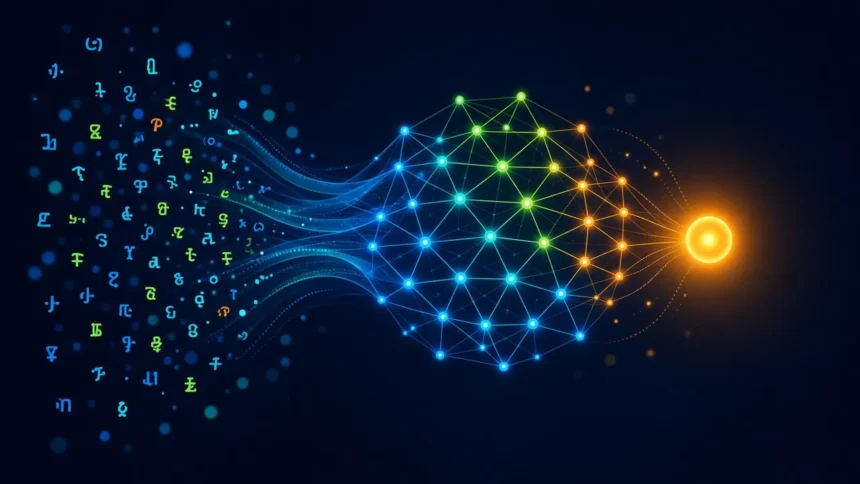
What is an LLM? A large language model is the software behind ChatGPT, Gemini and Grok: a program trained on huge amounts of text to predict the next token (a word or part of a word), again and again, until it has written a reply. That one trick explains both sides of these chatbots. They write fluently about almost anything, and they can state a wrong fact in the same confident tone as a right one.
Key takeaway
- What it is: a text-prediction engine trained on web pages, books, code and other text, then tuned to follow instructions and chat.
- Why it sounds smart: grammar, tone and structure are patterns, and patterns are what an LLM learns best.
- Why it makes things up: rare facts like a person’s birthday, an exact price or a court case can’t be predicted from patterns, so the model guesses.
- How to use it safely: check any fact that matters, never paste passwords, OTPs, Aadhaar or client data, and switch off training on your chats if you don’t want them used.
What is an LLM, in one paragraph
A language model is a program that estimates which piece of text is likely to come next. Large refers to two things: the billions of internal settings (parameters) adjusted during training, and the enormous amount of text it was trained on. ChatGPT, Gemini, Grok, Claude and Meta AI are chat apps built on top of LLMs, with extra layers for safety, memory, web search and file uploads.
An LLM doesn’t store a copy of the internet it can look things up in. Grok’s consumer FAQ puts it plainly: once training is done, the model doesn’t reference or access its pre-training data. What remains is a compressed web of associations between words, which is why it can explain a concept well and still get a specific date wrong.
How an LLM writes a reply, step by step
- Your message becomes tokens. OpenAI’s help centre estimates that one token is about four characters of English text, or roughly three-quarters of a word. Other languages split differently.
- The model scores every possible next token. It looks at everything in the conversation so far, including your message, earlier replies and hidden instructions from the app.
- It picks one. Usually a likely token, but not always the single most likely one. That small dose of randomness is why the same question gets differently worded answers.
- It adds that token and repeats. A 300-word answer is a few hundred of these predictions in a row, each one built on the last.

Take the prompt “The capital of India is”. The pattern “New Delhi” appears so often in training text that the prediction is close to certain. Now ask for the winner of a 1990s inter-college debate in Pune. There is no strong pattern to follow, but the model still has to produce a next token, and the most fluent-sounding guess wins.
Where the patterns come from: training
| Stage | What happens | What it gives the chatbot |
|---|---|---|
| Pretraining | The model reads a huge text collection and learns to predict the next token | Grammar, facts that appear often, coding patterns, writing styles |
| Fine-tuning | People write and rate example answers; the model is adjusted toward the better ones | Chat format, following instructions, refusing harmful requests |
| The chat app | Search, file reading, memory and safety filters are added around the model | Recent information (when it searches), personalisation, guardrails |
Training stops on a cut-off date. Anything after that is unknown to the model itself, so a chatbot can only talk about last week’s phone launch if it searches the web first. ChatGPT, Gemini and Grok can all search, and Grok can also pull in public posts from X. When they do, check the links they show you.
Why LLMs confidently make things up
Researchers call these errors hallucinations: plausible but false statements. OpenAI’s explainer on why language models hallucinate gives two reasons. During pretraining the model only sees fluent text, with no labels saying which statements are true. Spelling and grammar follow consistent patterns, so those errors disappear with scale, but one-off facts like a birthday can’t be predicted from patterns alone.
The second reason is how models get graded. Most benchmarks score only accuracy, so a guess that is sometimes right beats “I don’t know”, which always scores zero. OpenAI’s own example: asked for the title of a researcher’s PhD thesis, a widely used chatbot gave three different answers, and none was correct. Newer models guess less often, but OpenAI says hallucinations still occur.
| Task | How far to trust it | Why |
|---|---|---|
| Rewriting, summarising or translating text you paste in | Usually reliable | The facts are in front of it |
| Drafting emails, fixing grammar, changing tone | Reliable | Pure pattern work |
| Explaining well-known concepts | Mostly reliable | Widely written about, so the patterns are strong |
| Exact prices, specs, dates and statistics | Check every time | Rare or changing facts; it may fill gaps with guesses |
| Citations, research papers, court cases | Check every time | It can invent titles and authors that look real |
| Recent news | Only if it searched, and check the links | Its training stops at a cut-off date |
| Medical, legal, tax or money decisions | Use it to prepare questions, not for the answer | Google’s Gemini privacy notice says not to rely on it for professional advice |
⚠️ Watch out for: a chatbot’s tone tells you nothing about accuracy. A made-up citation looks exactly like a real one. If a fact is going into an assignment, a purchase or a client email, open the source and check it yourself.
What an LLM is good at, and where it falls short
| Use | Why | |
|---|---|---|
| Best for | First drafts, summaries, rewording, brainstorming, explaining code or a concept | These are pattern tasks, and you can judge the output quickly |
| Best for | Working on your own material: notes, PDFs, spreadsheets you upload | The answer is grounded in text you supplied |
| Not ideal for | Looking up a precise fact with no source attached | It generates an answer instead of retrieving one |
| Not ideal for | Final decisions on health, law or money | Errors are costly and sound just as confident as correct answers |
| Watch out for | Long chats that drift | Early instructions get diluted; start a fresh chat for a new task |
How to use ChatGPT, Gemini and Grok safely
Accuracy is one risk. The other is what happens to what you type. All three services can use consumer chats to improve their models unless you switch that off, and all three can have staff review some conversations.
| Chatbot | Stop training on your chats | Private option | Keep in mind |
|---|---|---|---|
| ChatGPT | Settings > Data controls > turn off “Improve the model for everyone” (on by default for Free, Plus and Pro) | Temporary Chat: not used for training, may be kept up to 30 days for safety | Thumbs up or down on a reply can send that whole conversation for training |
| Gemini | Turn off Keep Activity in Gemini Apps Activity | Temporary chats: not used for training, kept for 72 hours | Chats picked for human review are kept for up to three years, even if you delete them |
| Grok | App: Settings > Data Controls > “Improve the model”. Web: Settings > Data | Private Chat: not used for training, deleted within 30 days | Grok inside X has separate settings in X’s help centre |
Google’s Gemini Apps Privacy Hub says it directly: don’t enter confidential information you wouldn’t want a reviewer to see. The Grok consumer FAQ asks users not to share personal or sensitive information in prompts. Assume anything you type could be read by someone else.
- Never paste: passwords, OTPs, bank or card details, Aadhaar or PAN numbers, medical reports with your name, or a client’s confidential files.
- Uploading a file is storing it: it sits on the company’s servers under its retention rules, the same trade-off covered in our guide on whether cloud storage is safe.
- Protect the account itself: your chat history is a record of what you’ve been working on. Use a strong sign-in, and set up a passkey where the service supports one.
- Ask for sources, then open them: a link the chatbot shows you is useful only after you’ve checked it says what the chatbot claims.
- Check code before you run it: generated scripts can delete files or call packages that don’t exist.
💡 Expert tip: for anything factual, add “If you’re not sure, say so” to your prompt and ask the chatbot to search and cite. It won’t stop every error, but it gives the model room to admit uncertainty instead of guessing.
Common mistakes people make with AI chatbots
- Using a chatbot like a search engine. Without search turned on, it writes an answer from patterns; it doesn’t fetch one.
- Assuming a paid plan means correct answers. Bigger models make fewer errors, but none is error-free. It’s the same trap as assuming expensive tech is always premium.
- Trusting a confident number. Prices, specs and statistics are the facts most likely to be wrong or out of date.
- Pasting a whole work document into a personal account, where it may be used for training.
- Keeping one endless chat for everything. Start a new chat when you switch topics.
Do you need a paid plan or a special laptop?
No special hardware is needed for ChatGPT, Gemini or Grok. The model runs on the company’s servers, so any phone or laptop with a browser works. Free tiers cover most students and office users; paid plans mainly add higher limits, newer models and features like longer file uploads.
Running an open model on your own machine is a different story: that needs plenty of RAM and ideally a capable GPU. If you’re a developer heading that way, see what makes a laptop good for coding first. And if you’re building tools that feed web pages into an LLM, our breakdown of Firecrawl pricing and plans covers one popular way to turn websites into clean text for a model. Once a chatbot starts clicking, filling forms and sending emails for you, it has become an agent; our guide to what an AI agent is covers what changes and which permissions to keep back.
How we researched this
This explainer is research-based. We read OpenAI’s research summary on hallucinations, OpenAI’s token and data-control help pages, Google’s Gemini Apps Privacy Hub and Grok’s consumer FAQ, and checked each privacy setting described above against those pages. We didn’t run our own accuracy tests for this article. Last checked: November 2026.
Frequently asked questions
What is an LLM in simple words?
An LLM, or large language model, is a program trained on huge amounts of text to predict the next word or word-piece in a sentence. By repeating that prediction many times, it writes full answers. ChatGPT, Gemini and Grok are chat apps built on LLMs, with search, memory and safety features added around them.
Is ChatGPT an LLM?
ChatGPT is a chatbot app powered by OpenAI’s large language models, so the LLM does the text generation and ChatGPT is the product built around it. The app adds features the raw model doesn’t have, such as web search, file uploads, memory and safety filters. Gemini and Grok work the same way with their own models.
Why does an AI chatbot give different answers to the same question?
Each reply is built one token at a time, and the model doesn’t always pick the single most likely token. That built-in randomness changes wording, and sometimes facts, between attempts. If two answers to a factual question disagree, treat that as a warning sign and check a reliable source.
Can an LLM think or understand like a human?
Not in the way people do. An LLM finds and continues patterns in text, which can look like reasoning and often produces useful logic. It has no experiences, goals or awareness of whether a statement is true. Newer reasoning models work through steps first, but they can still make confident mistakes.
How can I tell if a chatbot is hallucinating?
Look for specific facts with no source: exact numbers, dates, quotes, paper titles or legal cases. Ask the chatbot to cite its source, then open the link and confirm it says the same thing. If the link doesn’t exist or doesn’t match, the answer was probably invented.
Is it safe to share personal information with ChatGPT, Gemini or Grok?
Share as little as possible. All three can use consumer chats to improve their models unless you opt out, and staff may review some conversations. Never paste passwords, OTPs, bank details, Aadhaar or PAN numbers. Use Temporary Chat, Gemini’s temporary chats or Grok’s Private Chat for anything sensitive.
Do AI chatbots know about recent events?
Only if they search the web. The model’s own knowledge stops at its training cut-off date, so without search it may describe old prices or miss recent launches entirely. ChatGPT, Gemini and Grok can all search; when they do, check the dates and links in the answer.
Do I need a powerful laptop to use an LLM?
No. ChatGPT, Gemini and Grok run on the companies’ servers, so a basic phone or laptop with a browser is enough. You only need lots of RAM and a strong GPU if you want to run open-source models offline on your own computer, which is mainly a developer or hobbyist choice.
Is a paid AI chatbot plan more accurate than the free one?
Paid plans usually give access to newer, larger models that make fewer mistakes, along with higher usage limits. They don’t remove hallucinations. For most students and office users, the free tier is enough for drafting and explaining; pay only if you regularly hit limits or need specific features.
Our verdict
So, what is an LLM? A very good pattern-predictor for text, and that tells you how to use one. Lean on ChatGPT, Gemini or Grok for drafts, summaries, explanations and work on your own documents. Don’t lean on them for exact facts, prices, citations or professional advice without checking a source.
Before you start, spend two minutes in the settings: turn off training on your chats if you prefer, and keep passwords, OTPs and ID numbers out of every prompt.