


What is an AI agent? It’s an AI system that takes actions to finish a task, instead of only replying. A chatbot answers your question and waits. An agent gets a goal, plans the steps, uses tools such as a browser, your files, email or code, checks the result and keeps going until the job is done or it needs you. That extra power is also the extra risk.
Key takeaway
- Chatbot: you ask, it answers. You decide what happens next.
- AI agent: you set a goal, and the AI picks its own steps and uses tools to act on your behalf.
- Where agents help: multi-step work with a clear finish line, like fixing a bug across several files or collecting and comparing information from many pages.
- Where they fail: errors compound across steps, and hidden instructions on web pages or in emails can hijack them.
- Rule we follow: give an agent the narrowest access that gets the job done, and never hand it payment, banking or OTP access.
What is an AI agent, and how is it different from a chatbot?
Both run on the same engine: a large language model. If you’re new to that part, our explainer on how LLMs like ChatGPT work covers it. The difference is what the model is allowed to do with its output.
Anthropic, which makes Claude, draws the line clearly in its engineering guide Building effective agents. Workflows are systems where an LLM and tools follow code paths a developer fixed in advance. Agents are systems where the LLM directs its own process and tool use. The same guide says agents are “typically just LLMs using tools based on environmental feedback in a loop”.
| Chatbot | AI agent | |
|---|---|---|
| What you give it | A question or instruction | A goal with a finish line |
| What it produces | Text: an answer, a draft, a summary | Actions plus a report: files changed, forms filled, pages compared |
| Who picks the next step | You, after reading the reply | The AI, within the access you granted |
| Tools | Often none, or web search | Browser, files, email, calendar, code, APIs |
| Typical mistake | A wrong answer you can read and reject | A wrong action, such as a sent email or a deleted file |
| Your job | Check the answer | Set limits, approve risky steps, check the result |
The line blurs in real products. ChatGPT, Gemini, Claude and Grok can search the web and run code, which is a small step towards agent behaviour. A useful test: if the AI can change something outside the chat window without you clicking a button for every step, treat it as an agent.
How an AI agent works: plan, act, observe, adjust
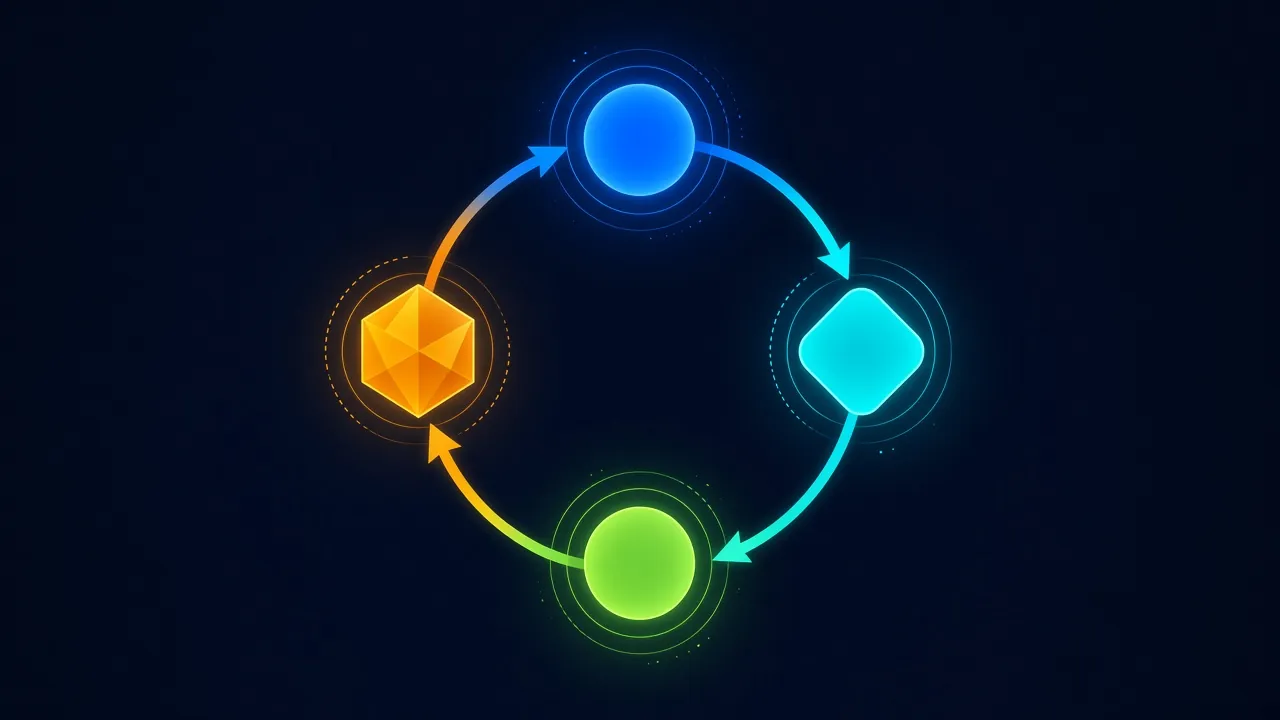
- Plan. The model breaks the goal into steps. “Find a flight to Bengaluru under ₹6,000 next Friday” becomes: open a travel site, enter the route and date, sort by price, read the fare rules.
- Act. It calls a tool: types into a search box, opens a file, runs a command or sends an API request.
- Observe. It reads what came back, such as a results page, an error message or a test failure. Anthropic calls this getting “ground truth” from the environment.
- Adjust. If the result is wrong or incomplete, it changes the plan and loops again. It stops when the task is done, when it hits a limit you set, or when it needs your approval.
The loop is what makes an agent useful and also what makes it expensive. Every pass is another model call, so an agent that takes 30 steps costs more and takes longer than one chatbot reply. Anthropic’s guide says agentic systems trade latency and cost for better task performance, and recommends the simplest setup that works.
Real examples of AI agents in 2026
| Type | What it does | Good fit | Watch out for |
|---|---|---|---|
| Coding agents | Read a codebase, edit several files, run tests and fix failures | Bug fixes and small features with tests that prove success | Code that passes tests but does the wrong thing; commands run on your machine |
| Browser agents | Open sites, click, fill forms and compare pages for you | Research, comparing prices, filling routine forms | Hidden instructions on web pages; logging in to accounts |
| Email and calendar assistants | Sort mail, draft replies, book meetings | Inbox triage with drafts you approve | Sending or forwarding mail without your review |
| Research agents | Search many sources and write a cited report | Background reading and summaries | Weak or invented sources; check every citation |
| Business workflow agents | Update a CRM, process tickets, route requests | High-volume, repeatable tasks with clear rules | Too much database access; actions nobody reviews |
A practical example from our own corner of tech: developers build research agents that read websites, and scraping tools turn messy pages into clean text a model can use. Our breakdown of Firecrawl’s plans and credit costs shows what that plumbing costs once an agent starts reading hundreds of pages.
Where AI agents still fail
Agents inherit every weakness of the LLM underneath and add a few of their own. These are the failure types the vendors and security researchers document.
- Compounding errors. One wrong step early, such as picking the wrong file or misreading a date, gets built on by every later step. Anthropic warns that autonomy brings higher costs and “the potential for compounding errors”.
- Prompt injection. An agent reads web pages, PDFs and emails written by strangers. Text hidden in that content can tell it to do something you never asked for. OWASP ranks prompt injection as LLM01, the top risk in its 2025 list for LLM applications.
- Wrong actions that look right. OpenAI’s system card for its ChatGPT agent lists buying the wrong product and typing personal data into the wrong form as known mistake types.
- Getting stuck. Logins, CAPTCHAs, pop-ups and changed page layouts break browser agents, which then retry, loop or give up halfway.
- Confident reports. An agent can say a task is done when it isn’t. Always check the result yourself, not just the summary.
Prompt injection is the one to take seriously. OpenAI’s help page gives a concrete case: you ask an agent to plan a group dinner using your calendar and email, and a malicious comment on a website tells it to fetch a password reset code from Gmail and send it elsewhere. OWASP’s prompt injection entry says it’s unclear whether any method fully prevents it.
⚠️ Watch out for: vague instructions like “check my email and handle everything”. OpenAI’s guidance on prompt injections says broad instructions make it easier for hidden content to mislead an agent. Ask for one specific task at a time.
Permissions you should never hand an AI agent
OWASP names this risk Excessive Agency (LLM06): an agent with more functions, permissions or freedom than the task needs. Its fixes are least privilege and human approval for high-impact actions. Here is how that translates for a normal user in India.
| Never hand over | Why | Safer option |
|---|---|---|
| UPI PIN, net banking login or card CVV | One hijacked step moves money you can’t easily recover | Let the agent build the cart or form; you pay yourself |
| OTPs and password reset codes | These are the keys attackers ask injected agents to steal | Type OTPs yourself; never let an agent read them from SMS or email |
| Your password manager or saved passwords | It opens every account at once | Use takeover or manual login, and protect accounts with phishing-resistant passkeys |
| Send, forward and delete rights on your main email | An injected email can trigger forwarding of private mail | Read-only access plus drafts you send yourself |
| Admin access to work systems or your website | Mistakes hit everyone, not only you | A test account or sandbox with limited rights |
| Aadhaar, PAN or medical documents | Uploaded files sit on the provider’s servers | Share only the page needed, or skip the agent |
💡 Expert tip: connect apps per task, then disconnect them. An agent that only needed your calendar on Monday shouldn’t still have your inbox and Drive on Friday. Review connected apps in the AI service’s settings once a month.
Should you use an AI agent?
| When | Why | |
|---|---|---|
| Best for | Repetitive multi-step tasks with a result you can check | You save the clicking and still verify the outcome |
| Best for | Developers with tests and version control | Bad changes are caught and easy to roll back |
| Not ideal for | Payments, legal filings, anything that can’t be undone | A wrong action costs more than the time saved |
| Not ideal for | Tasks where a chatbot answer is enough | An agent adds cost, delay and risk for no gain |
| Watch out for | Agents logged in to your real accounts | Every account it can reach is part of the risk |
Common mistakes people make with AI agents
- Giving full account access on day one. Start with read-only or a test account.
- Approving confirmation prompts without reading them. That pop-up is your last safety check.
- Leaving apps connected after the task is done.
- Trusting the agent’s summary instead of opening the result.
- Letting a coding agent run commands on your main machine without version control or a backup. If you store important files only online, read up on how safe cloud storage is before giving any tool delete rights.
What to buy if you want to run AI agents
You don’t need new hardware for agents in ChatGPT, Claude or Gemini: they run on the company’s servers, so any laptop with a browser works. Hardware matters when you run coding agents locally next to your editor, Docker and a browser, or run open models offline.
For that, 16GB of RAM is the floor and 32GB is comfortable. Our guide on what makes a laptop good for coding lists the specs by type of development, and how much RAM your laptop needs explains where 16GB stops being enough. If you build agents that read websites, budget for a scraping API, as covered in the Firecrawl guide above.
How we researched this
This explainer is research-based, not a hands-on test of specific agent products. We read Anthropic’s engineering guide to building agents, OpenAI’s ChatGPT agent help page, system card and prompt-injection guidance, and the OWASP Top 10 for LLM Applications 2025 entries on prompt injection and excessive agency. Product features change quickly. Last checked: November 2026.
Frequently asked questions
What is an AI agent in simple words?
An AI agent is an AI system that takes actions to complete a goal instead of only answering. It plans steps, uses tools such as a browser, files, email or code, checks each result and adjusts. A chatbot tells you how to do something; an agent tries to do it for you, within the access you give it.
Is ChatGPT an AI agent?
Plain ChatGPT chat is a chatbot: you ask and it answers. When it searches the web, runs code or uses connected apps to complete multi-step tasks, it behaves more like an agent. The useful test is whether it can change something outside the chat, like a file or a form, without you doing each step.
What is the difference between an AI agent and a chatbot?
A chatbot produces text and waits for your next message, so you decide every step. An AI agent gets a goal, chooses its own steps and uses tools to act on your behalf. That makes agents better at multi-step tasks but riskier, because their mistakes are actions rather than wrong answers.
What are some real examples of AI agents?
Common examples are coding agents that edit files and run tests, browser agents that fill forms and compare prices, email assistants that sort mail and draft replies, research agents that read many sources and write cited reports, and business agents that update CRM records or route support tickets.
Are AI agents safe to use?
They are reasonably safe for low-risk tasks with limited access and your approval on important steps. The main risks are prompt injection, where hidden text hijacks the agent, and excessive access. Avoid giving agents payment details, OTPs, password managers or unrestricted email rights, and check the results yourself.
What is prompt injection in AI agents?
Prompt injection is when instructions hidden in content the agent reads, such as a web page, PDF or email, trick it into doing something you didn’t ask. An injected agent might try to forward private emails or leak a reset code. OWASP lists it as the top risk for LLM applications.
Can an AI agent make payments or book tickets for me?
Some agents can fill a booking form up to the payment step, and well-designed ones ask for confirmation before purchases. We recommend letting the agent find options and fill details, then completing payment yourself. Never share a UPI PIN, card CVV or OTP with an agent.
Do I need a powerful laptop to use AI agents?
No, not for cloud agents in ChatGPT, Claude or Gemini, since they run on the provider’s servers. You need more RAM, ideally 16GB to 32GB, if you run coding agents alongside developer tools or want to run open-source models locally on your own laptop.
Will AI agents replace chatbots?
Unlikely. Most questions only need an answer, and a chatbot gives it faster and cheaper than an agent that loops through tools. Agents make sense for multi-step tasks with a clear finish line. Expect chat apps to keep both modes and switch to agent behaviour only when a task needs actions.
Our verdict
So, what is an AI agent? A chatbot with hands: it can click, type, edit and send, not just talk. Use one when a task has many steps and a result you can check, like research, form-filling or code with tests. Stick with a plain chatbot when an answer is all you need.
Before you connect any agent to your accounts, decide what it may touch. Read-only beats full access, drafts beat auto-send, and payments, OTPs and banking stay with you.