

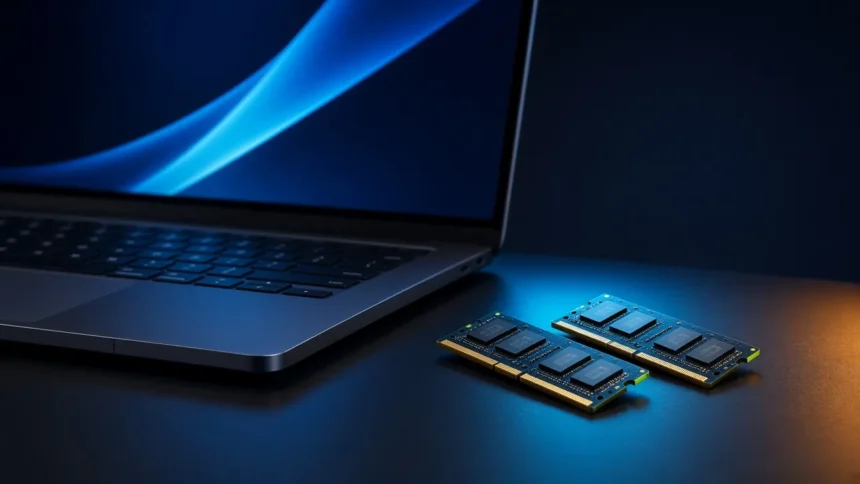
How much RAM do I need in a laptop? For most people buying in 2026, 16GB. Pick 32GB if you edit 4K video, run virtual machines or try local AI models, and keep 8GB for Chromebooks and very light use.
Most thin laptops now have soldered memory that can’t be upgraded later, so the amount you choose on day one is the amount you live with for the laptop’s whole life.
Key takeaway
- 16GB is the 2026 baseline for Windows laptops and MacBooks. It’s also Microsoft’s minimum for a Copilot+ PC.
- 32GB makes sense for 4K video editing, Docker or virtual machines, Android emulators and running AI models on the laptop.
- 8GB is fine on a Chromebook or for browsing and documents on a budget, but it’s the first thing a Windows laptop outgrows.
- Check upgradeability: if the spec sheet says onboard or soldered memory, buy the amount you’ll need in four or five years.
What RAM does in a laptop
RAM is the laptop’s working memory. Every open app, browser tab and file you’re editing sits in it so the processor can reach it quickly. Storage (the SSD) is where files live when they aren’t in use.
When RAM fills up, Windows and macOS move less-used data to the SSD and pull it back when you switch tabs or apps. The SSD is far slower than RAM, so you notice it as tabs reloading, a pause when you Alt-Tab, or a video call stuttering while a spreadsheet recalculates. More RAM doesn’t make a fast laptop faster. It stops a busy laptop from slowing down.
How much RAM do I need in a laptop for your work?
Match the RAM to the heaviest thing you do regularly, not the average day. The table below is our recommendation based on official system requirements and how each workload uses memory.
| What you do | Minimum we’d accept | What we’d buy | Why |
|---|---|---|---|
| Browsing, documents, streaming on ChromeOS | 8GB | 8GB | Google’s Chromebook Plus standard sets 8GB as the floor, and ChromeOS is light |
| Browsing, Office, online classes on Windows | 8GB | 16GB | Windows, a browser with many tabs and a video call fill 8GB quickly |
| Office multitasking, Teams or Zoom all day | 16GB | 16GB | Leaves room for calls, a dozen tabs and Excel at once |
| Coding (web, Python, Java) | 16GB | 16GB, or 32GB with Docker or emulators | IDEs, local servers, containers and Android emulators each take several GB |
| Photo editing (Lightroom, Photoshop) | 16GB | 32GB for large RAW batches or many layers | Big images and layered files sit in memory while you edit |
| Video editing | 16GB for HD | 32GB for 4K | Adobe recommends 16GB for HD media and 32GB or more for 4K in Premiere |
| Gaming | 16GB | 16GB, 32GB for heavy modding or streaming | Current games, Discord and a browser together go past 8GB |
| Virtual machines, local AI models | 32GB | 32GB or more | Each VM or model needs its own block of memory |
Coders should read our guide on what makes a coding laptop good: RAM sits near the top of that list, especially once Docker enters the picture.
8GB vs 16GB vs 32GB: who each one suits
8GB
- Best for: Chromebooks, a second laptop for travel, and students who mostly use a browser and Google Docs.
- Not ideal for: Windows laptops you plan to keep for more than two or three years, gaming, or any creative work.
- Watch out for: budget Windows laptops with 8GB soldered and no free slot. That laptop can never be fixed by adding memory.
16GB
- Best for: almost everyone: office work, students, coding, photo editing, HD video and gaming.
- Not ideal for: 4K editing with effects, several virtual machines, or running large AI models locally.
- Watch out for: 16GB fitted as a single stick. Check that the memory runs in dual channel (more on this below).
32GB and more
- Best for: 4K video editors, developers running containers or VMs, data science students, and anyone experimenting with local AI.
- Not ideal for: office and browsing use. You’d pay for memory that sits empty.
- Watch out for: paying for 32GB on a laptop with a weak processor or a slow SSD. RAM only helps when the rest of the machine can keep up.
Why 16GB is the 2026 baseline
Microsoft’s Windows 11 system requirements list just 4GB of RAM, but that’s the floor for installing Windows, not for using it comfortably. On the same page, Microsoft sets 16GB of DDR5 or LPDDR5 as a hard minimum for Copilot+ PCs, and says machines with less memory don’t qualify for those on-device AI features.
Apple made the same move. Since October 2024, MacBook Air models start with 16GB of unified memory at the same price the 8GB models used to sell for. When the two biggest laptop platforms raise the entry point, apps and websites follow, and 8GB machines age faster.

Graphics adds to the case. Laptops without a separate graphics card use part of the system RAM as video memory, so a 16GB laptop with integrated graphics has less than 16GB left for apps while you game or edit. Our explainer on integrated vs dedicated graphics covers how that split works.
Soldered vs upgradeable RAM: buy for the whole life
Most thin-and-light laptops use LPDDR5 or LPDDR5X memory soldered to the motherboard. It’s faster and uses less power than removable sticks, but you can’t add more later. Many gaming laptops, bigger business laptops and some budget models still use SO-DIMM slots, so you can add or swap memory.
A newer option is CAMM2, a compact memory module standard published by JEDEC. It’s replaceable like a SO-DIMM but thinner, and a few laptops use it. Availability is still limited, so don’t count on it when you shop.
💡 Expert tip: before you buy, search the model’s spec sheet for “onboard”, “soldered” or “SO-DIMM” and the number of slots. On a laptop you already own, open Task Manager, go to Performance and then Memory, and check “Slots used” and “Form factor”.
Soldered RAM is one reason we put memory high on the list in our guide to laptops that last for years. A laptop with a good processor and 8GB soldered memory usually becomes slow before the processor does.
Does RAM speed or dual channel matter?
Capacity matters more than speed for most people. Speed (shown as MHz or MT/s) and generation (DDR4, DDR5, LPDDR5X) are set by the processor and the laptop maker, so you rarely get to choose them on their own.
Dual channel is the exception worth checking. Two matching sticks, or soldered memory on two channels, double the bandwidth compared with one stick. Integrated graphics depend on that bandwidth, so a laptop with a single 16GB stick can game noticeably worse than the same model with two 8GB sticks. If a laptop has one stick and one empty slot, adding a matching stick fixes it.
| Spec on the listing | What it means for you |
|---|---|
| 16GB LPDDR5X (onboard) | Fast and power-efficient, but fixed for life. Buy enough now. |
| 16GB DDR5 (2 x 8GB SO-DIMM) | Dual channel, upgradeable later by swapping both sticks. |
| 16GB DDR5 (1 x 16GB), 1 slot free | Single channel today; add a matching stick for dual channel and 32GB. |
| 8GB onboard + 1 slot | Partly upgradeable. Adding a stick helps capacity, but channels may be mismatched. |
| Unified memory (Mac) | Shared by the CPU and GPU, fixed at purchase. Pick the size carefully. |
Common mistakes when choosing laptop RAM
- Buying a bigger SSD instead of more RAM. Storage holds files; it doesn’t stop slowdowns when you multitask.
- Assuming you’ll upgrade later without checking. On most thin laptops there’s nothing to upgrade.
- Paying for 32GB or 64GB for browsing and Office. That money is better spent on a better screen or battery.
- Ignoring single-channel memory on a laptop with integrated graphics.
- Treating the minimum in an app’s system requirements as the target. Minimums describe what launches, not what runs smoothly with everything else open.
What to buy
For most buyers, filter laptop listings to 16GB and work from there. Mid-range Intel Core i7 and Ryzen 7 models usually ship with 16GB, and our list of the best i7 laptops is a good starting point; confirm the exact memory configuration on the listing, since the same model often comes in more than one.
Creators who use Premiere, Photoshop or After Effects should start with our picks of laptops for Adobe Creative Cloud and choose a 32GB configuration for 4K work. Engineering and CS students can use our guide to laptops for computer science students.
On a tight budget, a used business laptop with SO-DIMM slots can be a smart buy, because you can add RAM cheaply. Our guide to buying refurbished laptops covers what to check before you pay.
How we researched this
This guide is research-based, not hands-on tested. We used Microsoft’s Windows 11 and Copilot+ PC requirements, Adobe’s Premiere system requirements, Google’s Chromebook Plus hardware standard and Apple’s announcement on MacBook Air memory. We haven’t run our own memory benchmarks. Last checked: November 2026.
Frequently asked questions
How much RAM do I need in a laptop for students?
16GB is the safe choice for most students on Windows or macOS, because it handles online classes, many browser tabs and Office together. 8GB is enough on a Chromebook used mainly for Google Docs and browsing. Engineering, design and computer science students should look at 16GB at minimum, or 32GB for heavy software.
Is 8GB of RAM enough for a laptop in 2026?
8GB is enough for a Chromebook or for light browsing and documents, but it’s tight on Windows. A browser with many tabs, a video call and Office can use most of it, and the laptop starts swapping to the SSD. If the 8GB is soldered, we’d skip that model.
Is 16GB or 32GB better for a laptop?
16GB is better value for most people, including students, office workers, coders and gamers. 32GB pays off for 4K video editing, Docker or virtual machines, Android emulators and running AI models locally. If you’re unsure and the RAM is soldered, choose 32GB only when your work clearly needs it.
Is 16GB of RAM enough for gaming laptops?
Yes, 16GB is enough for current games on most gaming laptops. Go for 32GB if you stream while playing, run heavy mods, or keep many apps open in the background. Make sure the memory runs in dual channel, which matters more for gaming than a jump from 16GB to 32GB.
Can I upgrade laptop RAM later?
Only if the laptop has SO-DIMM slots or a CAMM2 module. Most thin laptops and all current MacBooks use soldered memory that can’t be changed. Check the spec sheet for “onboard” or “soldered” before buying, or look at Task Manager’s Memory page on a laptop you already own.
Does more RAM make a laptop faster?
More RAM stops a laptop from slowing down when memory runs out, but it doesn’t speed up a laptop that already has enough. If Task Manager shows memory use regularly above 80 to 90 percent, more RAM will help. If it stays around half, a faster processor or SSD matters more.
Is 8GB on a Mac better than 8GB on Windows?
Macs use memory compression and fast SSDs, so 8GB feels better than you might expect, but it still runs out with heavy multitasking. Apple moved MacBook Air to a 16GB starting configuration in October 2024. For a new Mac, 16GB is the sensible minimum.
What is unified memory on a MacBook?
Unified memory is RAM shared by the processor and the graphics on Apple silicon Macs. It sits in the same package as the chip, so it’s fast, but it can’t be upgraded after purchase. Graphics-heavy apps use part of it, which is another reason to choose 16GB or more.
Our verdict
If you’re still asking how much RAM you need in a laptop, buy 16GB. It covers office work, study, coding, HD editing and gaming, and it matches the minimum Microsoft and Apple now treat as standard. Step up to 32GB only when your work clearly needs it, such as 4K video, VMs or local AI.
Skip 8GB on any Windows laptop with soldered memory, and check the spec sheet for upgrade slots before you pay. Memory you can’t add later is the one spec you can’t fix after buying. For the rest of the spec sheet, start with our guide to how to choose a laptop.