

Somewhere in every laptop listing there’s a line about graphics. Sometimes it’s a proud RTX 5060 in bold. Sometimes it’s a quiet Intel Arc Graphics that the seller clearly hopes you won’t ask about. And the price gap between two otherwise identical machines can be ₹30,000 or more.
So the obvious question is whether that gap buys you anything. The honest answer has changed a lot in the last two years, and most advice online is still repeating what was true in 2019. Here’s what actually matters now.
⚡ Quick answer
- Integrated graphics lives on the same chip as your processor and borrows your system RAM. No extra cost, no extra heat, no extra weight.
- Dedicated graphics is a separate chip with its own private high-speed memory. Much faster, and it charges you in money, battery, heat and thickness.
- Integrated got genuinely good. The best 2026 integrated chips play modern games at 1080p. That sentence was a joke five years ago.
- Dedicated still wins clearly for serious gaming, 3D work, and anything at 1440p or above.
- Most people don’t need one. If you don’t game or render, a dedicated GPU mostly buys you a shorter battery life.
What integrated graphics actually is
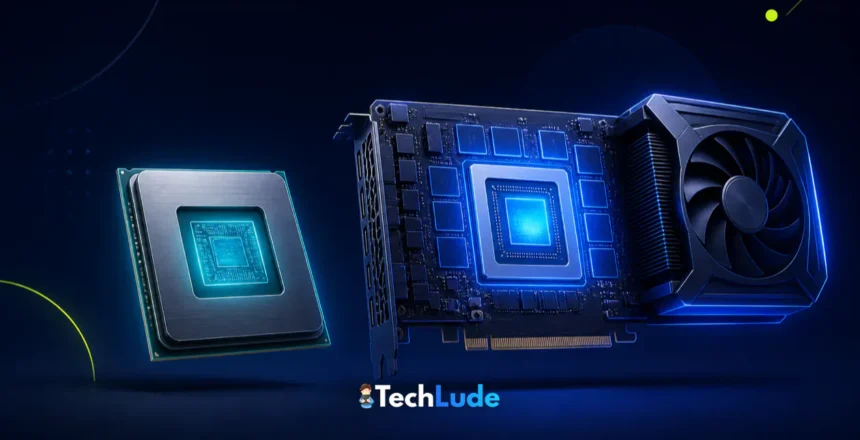
Integrated graphics, or an iGPU, is a graphics processor built into the same piece of silicon as your CPU. Open a modern laptop chip and the graphics section sits right there next to the processor cores, sharing the same power budget and the same packaging.
You’ll see it on spec sheets as Intel Arc Graphics, AMD Radeon Graphics, or on a Mac simply as part of the M-series chip. It’s already included in the price of the processor, which is why laptops without a dedicated card are cheaper, thinner and quieter. Nothing extra to buy, nothing extra to cool.
Here’s the part that decides everything: an integrated GPU has no memory of its own. It borrows a slice of your system RAM, the same RAM your applications are using. That single design choice explains almost every difference that follows. While you’re in the spec sheet, it’s worth knowing what the core and thread numbers next to it actually mean too.
What dedicated graphics actually is
A dedicated GPU, sometimes called discrete, is a completely separate processor with its own circuit board, its own cooling and its own private memory. In a desktop it’s the big card you slot in. In a laptop it’s soldered to the motherboard alongside the CPU, with its own heat pipes running to the fans.
That private memory is called VRAM, and on current laptop cards it’s GDDR7. It isn’t shared with anything. The GPU gets exclusive access at bandwidth that system RAM cannot come close to matching, and that headroom is what lets it push high resolutions, high frame rates and huge textures.
It also draws serious power. A laptop dedicated GPU can pull 45W to 150W on its own, on top of everything the CPU is already using. Your battery, your fan noise and your laptop’s thickness all pay for that.
The kitchen table analogy
Think of RAM as a table you work at.
Integrated graphics shares your dining table with everything else in the house. Your documents, your browser tabs, your background apps and your game all spread out on the same surface, and everyone has to reach across each other to get anything. It works fine when the house is quiet. It gets cramped fast.
A dedicated GPU gets its own dedicated workbench in its own room, and that bench is enormous. Nobody else touches it, nothing has to be moved out of the way, and everything it needs is already within arm’s reach.
That’s the whole story. The graphics chip matters, but the memory situation is what really separates these two worlds.
💡 Expert tip: Because integrated graphics eats your system RAM, the RAM decision matters twice as much on those machines. On a laptop with integrated graphics, 16GB is the sensible floor and 8GB will genuinely hurt, because the graphics chip is quietly taking a slice of it before your apps get a look in.
The 2026 reality check: integrated graphics got good
For years the advice was simple. Integrated graphics meant no gaming, full stop. That advice is now out of date, and it’s the single most useful thing in this article.
AMD’s Ryzen AI Max+ 395 carries a Radeon 8060S integrated GPU with 40 RDNA 3.5 compute units, which is a genuinely large graphics chip by any standard. In third-party testing it delivered smooth 1080p across a stack of current games, landing around 45 to 55 fps in Cyberpunk 2077 at medium settings and comfortably above 80 fps in Battlefield 6 at the high preset. AMD’s own marketing claims it beats a laptop RTX 4070 by as much as 68% in selected titles, and vendor benchmarks always pick their battles, but even discounted heavily that’s a remarkable number for a chip with no graphics card in it.
Intel made a similar jump. The Arc B390 integrated GPU in Panther Lake uses 12 Xe3 cores and posts roughly 77% better graphics performance than the Lunar Lake generation before it. PC Gamer’s architectural breakdown described it as essentially an Arc A770 desktop card squeezed into a mobile chip, which is a fair way to picture the scale of the change.
Apple, meanwhile, never had a separate laptop GPU to begin with. Every M-series Mac runs on integrated graphics with unified memory, and nobody calls a MacBook Pro underpowered for video work.
And now the honest part: dedicated still wins
None of that means integrated has caught up. It means the floor moved.
Put Intel’s impressive new Arc B390 against an RTX 5050, which is the cheapest dedicated laptop GPU in the current NVIDIA range, and the dedicated chip wins across the board. Aggregate benchmark comparisons put the RTX 5050 roughly 48% ahead, and the gap widens as you push resolution up. That’s the entry dedicated card against the best integrated one Intel makes.
There’s also an availability catch worth knowing. The strongest integrated chips, like the Ryzen AI Max+ 395, only appear in expensive premium machines. You cannot walk into a shop and buy Radeon 8060S performance on a budget. In the price bands most people actually shop in, integrated graphics is still the modest option, and a dedicated GPU is still how you get real gaming performance.
Side by side
| Integrated graphics | Dedicated graphics | |
|---|---|---|
| Where it lives | Inside the CPU | Separate chip and board |
| Memory | Borrows system RAM | Its own VRAM (GDDR7 on current cards) |
| Extra power draw | Essentially none | 45W to 150W |
| Battery life | Clearly better | Shorter, often much shorter under load |
| Heat and noise | Cool, usually quiet | Runs hot, fans audible under load |
| Laptop weight | Thin and light possible | Thicker, heavier, bigger charger |
| Gaming | 1080p on lower settings, esports titles fine | 1080p high through 1440p and 4K |
| Video editing | Fine for 1080p and light 4K | Faster exports, smoother heavy timelines |
| 3D, AI, rendering | Limited | The only sensible choice |
| Cost | Included | Adds a lot to the price |
Two traps that catch buyers who “did the research”
Trap 1: the same GPU name can be two different products
This is the big one, and almost nobody warns about it.
Laptop makers choose how much power to feed the GPU, a figure called TGP. NVIDIA publishes a range and each manufacturer picks a point inside it. The RTX 5060 laptop GPU can be configured anywhere from 45W to 100W. The RTX 5090 laptop GPU runs from 95W to 150W.
So two laptops can both say “RTX 5060” on the box and deliver noticeably different frame rates, because one is running it at less than half the power of the other. The thin, pretty one is usually the slow one. Sellers almost never print the TGP, so you have to find it in a review of that specific model.
⚠️ Here’s the catch: a well-cooled RTX 5060 at 100W will beat a strangled RTX 5070 at 50W in plenty of games. The GPU name is a starting point, not an answer. Cooling and power limits decide the rest, which is why they drive the picks in our budget gaming laptops under ₹70,000 guide.
Trap 2: 8GB of VRAM is no longer generous
VRAM is the dedicated memory we talked about, and running out of it is nastier than running slightly short of speed. When a game needs more VRAM than the card has, it doesn’t gently slow down. It stutters, textures load in late, and frame times go ragged.
NVIDIA’s current laptop stack runs from 8GB up to 24GB of GDDR7. The RTX 5050 and 5060 carry 8GB, the 5070 Ti has 12GB, the 5080 has 16GB and the 5090 has 24GB. The RTX 5070 launched at 8GB and NVIDIA later added a 12GB version, which tells you plenty about how 8GB was landing with buyers.
Our take: 8GB is workable at 1080p today and will feel tight sooner than you’d like. If you’re buying a gaming laptop you intend to keep for four or five years, 12GB is the number that will age better, and it’s worth more than a small step up in raw GPU speed.
Which one do you actually need?
Students, office work, browsing, streaming
Integrated, comfortably. Documents, spreadsheets, video calls, Netflix and fifty browser tabs don’t trouble a modern iGPU in the slightest. Buying a dedicated GPU for this workload means paying more for a heavier laptop with worse battery life. Put the money into RAM, the SSD and a better screen instead.
Casual and esports gaming
Integrated is now genuinely viable. Valorant, CS2, Dota 2, Rocket League and older titles run well on current integrated graphics at 1080p. If your gaming is mostly competitive shooters and you’re not chasing ultra settings, you can skip the dedicated card and enjoy the battery life.
Serious gaming, new AAA titles, ray tracing
Dedicated, no argument. If you want current big-budget games at high settings, or you’re gaming on a 1440p or high-refresh display, you need a dedicated GPU with a healthy power limit. Match it to your screen: there’s no point pairing a 5080 with a 60Hz panel, and our guide to 144Hz+ gaming monitors covers what the display side needs to look like.
Video editing and content creation
It depends on the footage. 1080p and light 4K editing runs fine on modern integrated graphics, especially on Apple silicon where unified memory suits the job. Heavy 4K multi-cam, effects-laden timelines and fast exports want a dedicated GPU. Pair it sensibly with the processor: our best CPUs for video editing guide covers that half of the decision.
3D, CAD, and running AI models locally
Dedicated, and get as much VRAM as you can afford. Blender, CAD work and local AI models are all bound by graphics memory. For local AI in particular, VRAM capacity decides which models you can even load, so it matters more than raw speed. This is the one use case where 16GB or 24GB is worth real money.
Handheld gaming devices
Integrated by design. Every gaming handheld runs on integrated graphics, because a dedicated GPU’s power draw is impossible in something you hold in your hands. The fact that these devices play modern games at all is the clearest proof of how far integrated has come. We round up the options in our best handheld gaming devices guide.
✅ Best value read: The most common expensive mistake we see is a student or office buyer paying extra for a dedicated GPU “just in case.” Just in case almost never arrives, and meanwhile you’re carrying a heavier laptop that dies faster on battery. Buy the graphics you’ll use this year, not the ones you might use one day.
What a dedicated GPU costs you beyond the price
The sticker price is the part everyone notices. These are the parts people discover afterwards.
- Battery life. Even idle, a dedicated GPU adds drain, and once a game or export wakes it up your unplugged runtime collapses. Gaming laptops are effectively desk machines with a battery for emergencies.
- Heat and noise. More watts means more fan. In an Indian summer without air conditioning, a dedicated machine will hit its thermal limits sooner and stay louder for longer.
- Weight and charger size. You’re carrying a thicker laptop and a brick of a power adapter. It stops being abstract around week two of a daily commute.
- Performance when unplugged. Most gaming laptops throttle the GPU hard on battery, so the card you paid for only fully shows up near a socket.
None of this is a reason to avoid dedicated graphics. It’s a reason to be sure you’ll use it.
Common mistakes buyers make
- Assuming integrated means it can’t game. True in 2019, wrong in 2026. Check benchmarks for the actual chip before you write it off.
- Comparing GPU names without checking TGP. Two laptops with the same GPU can differ by 30% or more in real frame rates.
- Buying a dedicated GPU for work that never uses it. Spreadsheets do not care. This is the same trap we picked apart in why expensive tech is not always premium tech.
- Pairing integrated graphics with 8GB of RAM. The iGPU takes its share off the top, so you’re left with less than you think. 16GB is the floor.
- Ignoring VRAM. An 8GB card at 1440p will stutter in ways a spec sheet never warns you about.
- Forgetting the display. A powerful GPU behind a dim 60Hz panel wastes most of what you paid for.
How to check what graphics your machine has
- Windows: press
Ctrl + Shift + Esc, open Performance, and look down the left side. You’ll see every GPU listed, usually as GPU 0 and GPU 1 on a machine with both. Dedicated cards show a “Dedicated GPU memory” figure; integrated ones show shared memory instead. - Windows, more detail: press
Windows + R, rundxdiag, and check the Display tabs. One tab per graphics adapter. - macOS: Apple menu → About This Mac. Apple silicon Macs use integrated graphics with unified memory, so there’s nothing separate to find.
- Linux: run
lspci | grep -i vgato list every graphics adapter.
If you see two GPUs, that’s normal and it’s a good thing. Laptops with a dedicated card keep the integrated one for light work and battery life, and switch to the big chip only when something demands it.
Can you add a dedicated GPU later?
On a desktop, yes, easily. That’s the strongest argument for a desktop if you’re on a tight budget: start with integrated graphics, add a card when you can afford one.
On a laptop, no. The GPU is soldered to the motherboard and it is not going anywhere. The nearest thing is an external GPU enclosure, which connects a desktop card over Thunderbolt or USB4. It works, and we’ve covered the best eGPUs for laptops in detail, but be clear-eyed about it: you lose some performance to the connection, the enclosure costs real money, and it’s a desk-only solution. It rescues a laptop you already own. It’s a poor reason to deliberately buy an underpowered one.
Frequently Asked Questions
Can you game on integrated graphics in 2026?
Yes, far better than you’d expect. Esports titles like Valorant and CS2 run comfortably at 1080p, and the strongest integrated chips handle current AAA games at medium settings. What you don’t get is high settings, high refresh rates, or anything demanding at 1440p and above.
Is integrated or dedicated graphics better for battery life?
Integrated wins clearly. A dedicated GPU adds 45W to 150W of draw on top of the processor and drains a battery quickly once it wakes up. Most gaming laptops also throttle the dedicated card hard when unplugged, so you get shorter runtime and lower performance at the same time.
How much VRAM do I actually need in a laptop GPU?
8GB is workable at 1080p today but will feel tight within a couple of years. If you plan to keep the laptop four or five years, or you game at 1440p, aim for 12GB. For 3D rendering and running AI models locally, get as much as your budget allows.
Why do two laptops with the same RTX GPU perform differently?
Because manufacturers choose the power limit, called TGP. An RTX 5060 laptop GPU can be configured anywhere from 45W to 100W, and the low-power version is meaningfully slower. Thin laptops usually run lower limits. Sellers rarely publish the figure, so check a review of that exact model.
Does integrated graphics use my RAM?
Yes, that’s the defining difference. An integrated GPU has no memory of its own and borrows a slice of system RAM, sharing bandwidth with everything else running. This is why 16GB is the practical floor on a laptop with integrated graphics, and 8GB will feel genuinely cramped.
Is a dedicated GPU worth it for video editing?
For 1080p and light 4K work, modern integrated graphics is enough, especially on Apple silicon. A dedicated GPU pays for itself if you handle heavy 4K multi-cam projects, effects-heavy timelines, or export often enough that waiting costs you real time.
Can I add a dedicated graphics card to my laptop later?
No. Laptop GPUs are soldered to the motherboard and can’t be swapped. The only option is an external GPU enclosure connected over Thunderbolt or USB4, which works but loses some performance to the connection and is a desk-bound setup. Desktops, by contrast, upgrade easily.
Do I need a dedicated GPU for programming or office work?
No. Coding, compiling, spreadsheets and browser work barely touch the graphics chip. Your money is far better spent on RAM, a fast SSD and a good display. The exception is training or running large AI models locally, where VRAM becomes the limiting factor.
How do I check whether my laptop has dedicated graphics?
On Windows, open Task Manager with Ctrl+Shift+Esc and look under Performance. Dedicated cards show a “Dedicated GPU memory” figure, while integrated ones report shared memory. Running dxdiag gives more detail. On Linux, use lspci and grep for VGA.
The bottom line
The question isn’t which is better. Dedicated is faster, and that was never in doubt. The question is whether you’ll use what you’re paying for.
If you study, work, browse and watch things, buy integrated and enjoy the lighter bag and the longer battery. If your gaming is esports and older titles, integrated now handles that too, which is a genuinely new thing to be able to say. If you play current AAA games, work in 3D, or edit heavy 4K footage, buy dedicated and don’t apologise for it.
One honest warning before you open a shopping tab: if you do go dedicated, the GPU name on the box is the least reliable part of the listing. Find the TGP and the VRAM for that exact model before you decide. A cheaper card running at full power in a well-cooled chassis will beat a fancier one being quietly strangled in a thin one, every time.
Then check the rest of the machine around it. We put the full checklist in what makes a laptop good for long-term use, and it’s worth ten minutes before you spend the money. Brand loyalty is a poor guide here too, which is why our Intel vs AMD in laptops guide argues for judging the specific chip rather than the badge.
How we know: This explainer is research-based. It draws on chip vendor documentation and published third-party gaming benchmarks, plus our own experience buying and living with both kinds of machine. We have not personally bench-tested every chip named above, and we’d rather say that than pretend otherwise. Specifications and benchmark figures checked August 2026.