

VRAM is the memory built into a graphics card, and in 2026 the answer to how much VRAM you need is simple: 8GB for 1080p at sensible settings, 12GB for 1440p, and 16GB or more for 4K, 3D rendering and local AI.
8GB still runs most games, but it’s now the floor. When a game needs more than your card has, you get stutter and blurry textures, not just a lower frame rate.
Key takeaway
- What VRAM does: it holds textures, frame buffers and other data the GPU needs right now, right next to the GPU.
- 1080p: 8GB works with medium-to-high textures. 12GB gives headroom.
- 1440p: 12GB minimum for new AAA games; 16GB if you keep cards for years.
- 4K, 3D and AI: 16GB is the starting point. Blender scenes and local AI models can use all you have.
What VRAM is and what it stores
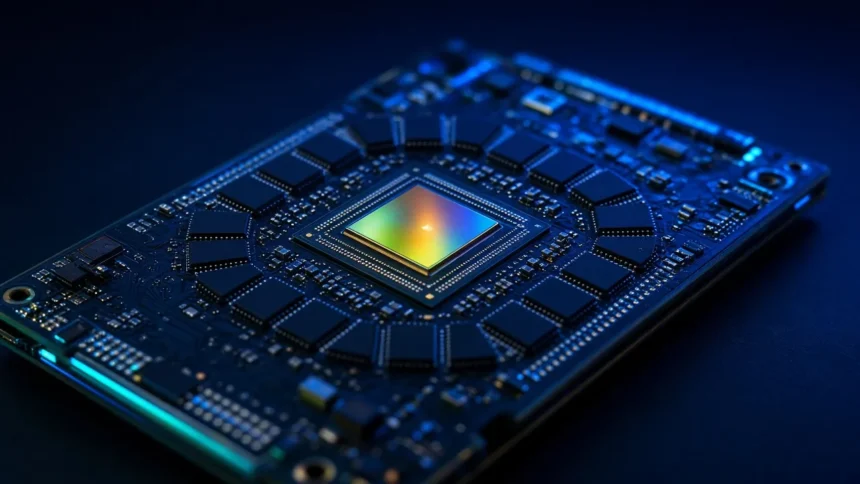
VRAM (video RAM) is the GPU’s own fast memory, soldered around the graphics chip on the card. Current cards use GDDR6 or GDDR7. It’s separate from your system RAM, and the GPU reads from it far faster than it can reach anything else in the PC.
A game fills VRAM with textures, 3D models, shadow maps and the frames being drawn. Ray tracing adds its own data structures, and frame generation adds extra frame buffers. Higher resolution and higher texture settings mean more of everything.
How much VRAM do you need? Quick guide by use
| Use | Minimum | Comfortable | Notes |
|---|---|---|---|
| 1080p gaming | 8GB | 12GB | Drop textures to medium in the heaviest new games on 8GB |
| 1440p gaming | 12GB | 16GB | Ray tracing at high settings pushes past 12GB in some titles |
| 4K gaming | 16GB | 16GB to 24GB+ | Path tracing and native 4K are the heaviest cases |
| Esports (Valorant, CS2, Fortnite competitive) | 6GB to 8GB | 8GB | These games are light; frame rate matters more |
| Photo editing, 1080p video | 6GB to 8GB | 12GB | System RAM and CPU matter as much |
| 3D rendering (Blender, Unreal) | 12GB | 16GB to 24GB+ | Scene size decides it; running out stops GPU renders |
| Local AI (LLMs, image models) | 12GB | 16GB to 24GB+ | Model size and precision decide it |
What happens when you run out of VRAM
When a game asks for more memory than the card has, the driver moves data to system RAM over PCIe. That path is much slower than VRAM, so the GPU waits. You see it as hitches when you turn a corner, textures loading late or staying blurry, and 1% low frame rates falling well below the average.

That’s why an average FPS chart can hide a VRAM problem. Two cards can show similar averages while the one with less memory stutters. Some games lower texture quality on their own instead, so the game looks worse without telling you.
3D work fails harder. Blender’s GPU rendering manual says a scene that doesn’t fit in GPU memory can stop with an out-of-memory error, and that some backends can fall back to system memory at a performance cost.
⚠️ Watch out for: the same GPU name sold with two memory sizes. The RTX 5060 Ti and Radeon RX 9060 XT both come in 8GB and 16GB versions, so check the exact listing before you pay.
Why 8GB is the floor in 2026, not the target
Game requirements have moved. Bethesda’s PC requirements for Indiana Jones and the Great Circle list an 8GB ray-tracing card as the minimum, not the recommended spec. Many new AAA releases follow the same pattern: 8GB runs them, with texture and ray tracing settings turned down.
New cards still ship with 8GB. NVIDIA’s RTX 50 series lineup puts 8GB on the RTX 5060, 12GB on the RTX 5070 and 16GB on the RTX 5070 Ti and 5080. AMD’s Radeon RX 9060 XT comes in 8GB and 16GB.
An 8GB card is fine for esports and older games, but we’d pay the extra for 12GB or 16GB if you play new releases and keep a card for four years or more. Our list of 8GB VRAM graphics cards covers the best value picks if budget forces the choice.
VRAM for 3D work and local AI
Creative and AI work cares about memory more than games do, because the whole job has to fit. A Blender scene with high-resolution textures, heavy geometry or volumes can need 16GB or more, and the GPU can’t render what it can’t hold. Our guide to graphics cards for 3D modelling focuses on cards with enough memory for this.
Local AI models follow simple maths. Each parameter takes 2 bytes at 16-bit precision, so an 8-billion-parameter model needs about 16GB for the weights alone. Compressed to 4-bit, it needs about 4GB plus working memory. That’s why 12GB is a practical minimum for running local chatbots, and 16GB to 24GB opens up larger models.
More VRAM doesn’t make a card faster
VRAM is a capacity limit, not a speed boost. The 16GB RTX 5060 Ti has the same GPU and the same 448 GB/s of memory bandwidth as the 8GB version. In a game that fits in 8GB, both run at about the same speed. The 16GB card pulls ahead only when the game, setting or project needs more than 8GB.
So buy VRAM to match your resolution and workload, then compare GPU performance. A slow GPU with 16GB won’t beat a much faster one with 12GB at settings both can hold. If you’re still deciding whether you need a dedicated card at all, start with our explainer on integrated vs dedicated graphics.
Laptop GPUs often have less VRAM than desktop cards
Laptop chips with the same name as desktop cards often ship with less memory. In NVIDIA’s RTX 50 laptop range, the RTX 5060 and 5070 laptop GPUs have 8GB, the 5070 Ti has 12GB, the 5080 has 16GB and the 5090 has 24GB. Check the memory line on the spec sheet, not just the GPU name.
Budget gaming laptops mostly sit at 8GB, which is fine for 1080p at medium to high settings. Our picks of gaming laptops under ₹70,000 are in that range. If you already own a thin laptop with Thunderbolt or USB4, an external GPU for your laptop adds desktop-class VRAM, with some performance lost over the cable.
How to check how much VRAM you have and use
- Windows: open Task Manager, go to Performance, select GPU and read Dedicated GPU memory. The graph shows how much a running game uses.
- In the game: many games show a VRAM estimate in the graphics menu. Keep it under your card’s total.
- Monitoring tools: overlays such as MSI Afterburner or the NVIDIA and AMD app overlays show live VRAM use while you play.
- Spec sheet: for a card or laptop you’re buying, check the memory size on the brand’s product page, not only the store title.
Usage numbers need care. Some games reserve more VRAM than they need when it’s available, so a 16GB card may show 14GB in use where an 8GB card would run the same game fine at lower texture settings.
Which VRAM size fits you?
8GB
- Best for: 1080p gaming at medium to high settings, esports titles and tight budgets.
- Not ideal for: 1440p ultra, heavy ray tracing, Blender scenes with large textures or local AI.
- Watch out for: new games where you’ll need to lower textures within a year or two.
12GB
- Best for: 1440p gaming and high-texture 1080p. A balanced choice for most gamers.
- Not ideal for: 4K with path tracing or large local AI models.
- Watch out for: 12GB cards priced close to 16GB ones. Take the 16GB if the gap is small.
16GB and above
- Best for: 4K gaming, long upgrade cycles, 3D rendering, video work and local AI.
- Not ideal for: buyers who only play esports at 1080p, who’d get more from a faster GPU or a better monitor.
- Watch out for: 16GB on a slow GPU. Check performance reviews as well as memory.
Common mistakes
- Buying on VRAM alone. A faster GPU with slightly less memory often wins at settings it can hold.
- Picking the cheaper listing of a card without noticing it’s the 8GB version.
- Setting textures to Ultra on an 8GB card and blaming the game for stutter.
- Reading average FPS charts only. Look at 1% lows for signs of memory limits.
- Assuming a laptop GPU has the same VRAM as the desktop card with the same name.
What to buy
For high-end 1440p and 4K gaming, our guide to high-end graphics cards lists cards with 16GB or more. On a budget, a good 8GB card is still fine for 1080p, as long as you accept medium textures in the newest games. For Blender and other creator work, start with our 3D modelling GPU picks linked above.
How we researched this
This explainer is research-based, not hands-on tested. We used NVIDIA and AMD product specifications, Bethesda’s published PC requirements and Blender’s official GPU rendering documentation. The AI memory figures are calculated from parameter counts. We haven’t benchmarked these cards ourselves. Last checked: November 2026.
Frequently asked questions
How much VRAM do I need for 1080p gaming?
8GB is enough for most games at 1080p with medium to high settings. In the newest AAA games you may need to lower texture quality or ray tracing to stay within 8GB. If the price gap is small, a 12GB card gives you headroom for future releases and high-resolution texture packs.
Is 8GB VRAM enough in 2026?
For esports, older games and 1080p at sensible settings, yes. For 1440p, ultra textures, heavy ray tracing or local AI, 8GB runs out quickly. Treat it as the minimum for a new gaming card, and buy 12GB or 16GB if you plan to keep the card for several years.
Is 12GB VRAM enough for 1440p?
Yes, 12GB handles most current games at 1440p with high settings. A few demanding titles with ray tracing at maximum settings can go past it. If you keep cards for four years or more, or want maximum texture settings, 16GB is the safer choice at that resolution.
Does more VRAM increase FPS?
Only when you were running out. If a game fits in 8GB, a 16GB version of the same card runs at about the same frame rate. Extra VRAM helps by preventing stutter, texture pop-in and crashes when a game or project needs more memory than the smaller card has.
What happens if a game uses more VRAM than I have?
The GPU moves data to slower system RAM, which causes stutter, late-loading or blurry textures and lower 1% low frame rates. Some games lower texture quality automatically. Reducing texture quality, shadow quality or ray tracing usually brings memory use back under your card’s limit.
Is VRAM the same as RAM?
No. VRAM is memory on the graphics card used by the GPU, while RAM is system memory used by the CPU and apps. Integrated graphics have no VRAM of their own and borrow part of system RAM instead, which is one reason they’re slower for games.
How do I check my VRAM in Windows?
Open Task Manager with Ctrl+Shift+Esc, go to the Performance tab and select GPU. The Dedicated GPU memory figure is your VRAM, and the graph shows how much is in use. Run a game in the background to see how close it gets to your limit.
How much VRAM do I need for Blender or AI?
For Blender, 12GB handles many scenes, while large textures, geometry or volumes need 16GB or more. For local AI, an 8-billion-parameter model needs about 4GB at 4-bit or 16GB at 16-bit precision, plus working memory, so 12GB to 16GB is a sensible starting point.
Can I upgrade the VRAM on my graphics card?
No. VRAM chips are soldered to the card and tied to its memory controller, so you can’t add more. The only way to get more VRAM is to buy a different card. On laptops, an external GPU enclosure is an option if the laptop has Thunderbolt or USB4.
Our verdict
Match VRAM to your screen and work: 8GB for 1080p on a budget, 12GB for 1440p, and 16GB or more for 4K, long upgrade cycles, Blender and local AI. Then compare GPU speed, because extra memory only helps once you’d otherwise run out.
If you’re choosing between the 8GB and 16GB version of the same card and play new games, we’d take the 16GB one. For PSU wattage, case fit and what to ignore on the box, see our guide to how to choose a graphics card.