

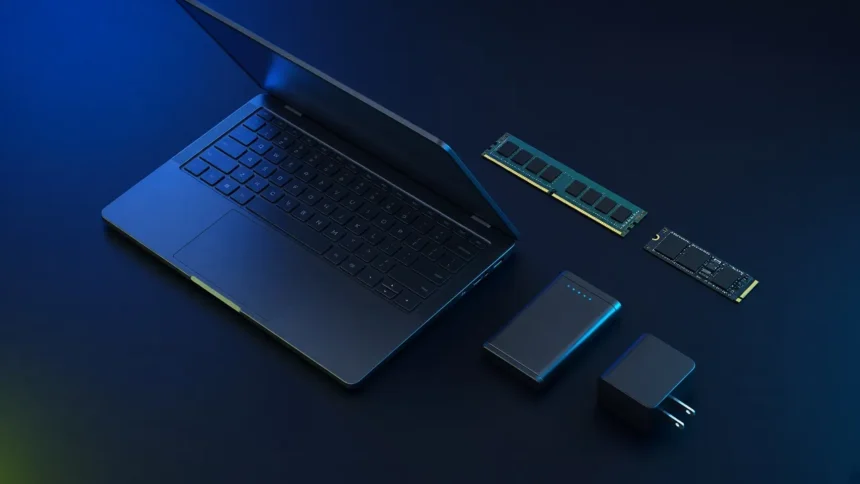
To choose a laptop, decide what you’ll do on it, then pick specs in this order: processor tier, RAM, storage, screen, battery and build. For most people in 2026, a current Core Ultra 5 or Ryzen AI 5 class chip, 16GB of RAM, a 512GB SSD and a bright screen is the safe baseline.
Key takeaway: buy for what you do most days. Spend spare budget on 16GB of RAM and a better screen before a faster CPU.
Start with your workload, not the spec sheet
A laptop that suits a law student will frustrate a video editor, and the reverse wastes money. Find your row below, then use the sections that follow to check each spec.
| Main use | Processor tier | RAM | Storage | Graphics | Spend extra on |
|---|---|---|---|---|---|
| Study, office, browsing | Core Ultra 5 / Ryzen AI 5 or similar | 16GB | 512GB SSD | Integrated | Screen, keyboard, battery |
| Coding and data work | Core Ultra 5-7 / Ryzen AI 5-7 | 16GB (32GB for VMs, Docker) | 512GB-1TB | Integrated | RAM, keyboard, ports |
| Photo and video editing | Core Ultra 7 H / Ryzen AI 7-9 / Apple M-series Pro | 32GB | 1TB | Dedicated GPU or strong integrated | Colour-accurate screen, cooling |
| Gaming | Core Ultra 7 H or HX / Ryzen 7-9 HX | 16GB (dual-channel) | 1TB | Dedicated GPU with high wattage | GPU power limit, cooling |
| Travel and long battery | Efficient chip (Snapdragon X, Apple M, low-power Intel/AMD) | 16GB | 512GB | Integrated | Weight, battery capacity |
If you write code, our guide to what makes a laptop good for coding goes deeper on keyboards, RAM and Linux support. Writers should see our picks of the best laptops for writers, chosen for keyboard feel and battery life.
Processor: pick the tier and generation, then stop
The CPU gets the most marketing and matters least for everyday work. A mid-tier chip from the current or previous generation handles browsing, Office and video calls comfortably. The gap shows up only in long exports, big code builds and games.
Read the name in two parts: the tier (5, 7 or 9) and the generation number. Intel’s 2026 laptop chips are Core Ultra Series 3, with names like Core Ultra 5 325 or Core Ultra 7 366H. An H suffix means more cores, and Intel’s new X prefix (Core Ultra X7, X9) marks the models with its strongest built-in graphics, according to Intel’s Core Ultra Series 3 launch notes. AMD’s current range is Ryzen AI 400 (Ryzen AI 5 430 up to Ryzen AI 9 HX 475).
- Intel or AMD: both are fine at the same tier and price. Our Intel vs AMD laptop comparison covers where each one wins.
- Snapdragon X (Arm) Windows laptops: excellent battery life, but check that your must-have apps, games with anti-cheat, printers and VPN clients run on Windows on Arm before you buy.
- MacBooks: Apple’s M-series chips are fast and efficient. Pick one if your apps run on macOS and you’re happy with what the RAM and storage you buy on day one will be for the laptop’s whole life.
- Core count: six to eight cores is plenty for most people. More cores help with rendering and compiling; here’s how cores and threads differ.
⚠️ Watch out for: old-generation chips sold at full price. A three-year-old Core i7 listing can cost the same as a new Core Ultra 5 laptop while running hotter and getting a shorter support window. Search the exact model number before paying.
RAM: 16GB is the floor that ages well
RAM decides how many tabs, apps and files you can keep open before the laptop slows down. In 2026, 16GB is the sensible minimum for Windows and macOS. Microsoft’s own Copilot+ PC requirements set 16GB as the floor for its AI features, which tells you where software is heading.
- 8GB: only for Chromebooks or very light, browser-only use. It feels slow within a year or two on Windows.
- 16GB: right for students, office work, coding and most gaming.
- 32GB or more: 4K video editing, virtual machines, large datasets and running AI models locally.
Most thin laptops now use soldered RAM, which you can never upgrade. If the spec sheet says LPDDR5 or LPDDR5X, assume it’s fixed and buy the amount you’ll need in year four.
Storage: get an NVMe SSD of 512GB or more
Every decent laptop now ships with an SSD, so the real questions are size and upgradeability. 256GB fills up fast once Windows updates, a few games or a phone backup land on it. 512GB is the practical minimum, and 1TB suits gamers and video editors.
Check reviews or the service manual for a second M.2 slot or a replaceable drive. A laptop you can add storage to later costs less over its life than one you have to replace.
Graphics: integrated is enough unless you game or render
Built-in graphics on current Intel, AMD, Apple and Snapdragon chips handle 4K video, photo edits and light games. You need a dedicated Nvidia or AMD GPU for modern AAA games, 3D work and GPU-heavy video effects. Our integrated vs dedicated graphics explainer shows where the line sits.
For gaming laptops, the GPU name is only half the story. The same RTX GPU can run at very different power limits (TGP) in two laptops, and the higher-wattage one with better cooling is faster. Look for the GPU wattage in the spec sheet or review before you compare model numbers. Our guide to what TGP is in a laptop explains those wattage figures.
Screen: the part you look at for five years
Spend here before you spend on the CPU. A dim, washed-out panel makes a fast laptop feel cheap every single day.
| Spec | Minimum we’d accept | Better | Why it matters |
|---|---|---|---|
| Brightness | 300 nits | 400 nits or more | Usable near windows and in bright rooms |
| Resolution (14-16 inch) | 1920×1200 / 1080p | 2.5K-3K | Sharper text, more room for windows |
| Panel | IPS | OLED or good IPS | Better colours and contrast; OLED has deep blacks |
| Colour coverage | ~100% sRGB for creative work | DCI-P3 for video | Avoid 45% NTSC panels; colours look dull |
| Refresh rate | 60Hz for office | 120Hz or more | Smoother scrolling; needed for gaming |
Two things to check on OLED laptops: whether the brand mentions burn-in in the warranty, and whether the panel uses low-frequency PWM dimming if you’re sensitive to flicker.

Battery and charging
Ignore “up to 20 hours” claims; they’re measured with the screen dimmed and the laptop idle. Compare battery capacity in watt-hours (Wh) instead. Thin laptops with 50-60Wh or more and an efficient chip usually last a full workday. Gaming laptops often manage three to five hours away from the plug.
USB-C charging (Power Delivery) is worth having. One charger then covers your laptop and phone, and you can top up from a USB-C power bank during a power cut.
Build, keyboard, ports and warranty
- Build: a firm hinge and a keyboard deck that doesn’t flex matter more than metal versus plastic. Our guide on laptops that last for years lists what fails first.
- Ports: count what you plug in daily. At least two USB-C (one with charging and display output), one USB-A and HDMI saves you a dongle.
- Wi-Fi and webcam: Wi-Fi 6E or 7 and a 1080p webcam are now common in mid-range laptops.
- Warranty and service: in India, check the brand’s service centres in your city and the price of accidental damage cover before you pick between two similar models.
Windows, macOS or ChromeOS
Go with the system your apps and college or office need. Windows covers the widest range of software and games. macOS suits creative work and long battery life. ChromeOS fits school use and budgets under ₹30,000 if everything you do runs in a browser.
Microsoft ended Windows 10 support on 14 October 2025, so skip any laptop, new or used, that can’t run Windows 11. This matters most when you shop for refurbished laptops, where older stock is common.
Do you need an AI PC?
A Copilot+ PC has an NPU (a chip for on-device AI) rated at 40 TOPS or more, plus 16GB of RAM and a 256GB SSD. Most current Core Ultra, Ryzen AI and Snapdragon X laptops qualify. The NPU runs features like live captions and background blur efficiently, but ChatGPT, Gemini and most AI tools still run in the cloud. Treat it as a bonus that comes with a current chip, and don’t pay a big premium for the label.
Common mistakes when choosing a laptop
- Buying a Core i7 or Ryzen 9 and pairing it with 8GB of soldered RAM.
- Picking a gaming laptop for college, then carrying a 2.5kg machine and a brick charger every day.
- Ignoring the screen’s brightness and colour figures because the listing only says “Full HD”.
- Comparing GPU names without checking GPU wattage and cooling.
- Skipping the return window and keyboard check. Type on it in a store or read keyboard-focused reviews first.
Before you spend money: a quick checklist
- Write down the three apps or tasks you’ll run most.
- Set your budget and the processor tier that matches the table above.
- Confirm 16GB of RAM (32GB for heavy creative work) and at least 512GB of storage.
- Check screen brightness (300 nits or more) and colour coverage.
- Compare battery in Wh, weight in kg and the charger type.
- Check warranty length and the nearest service centre.
What to buy next
If you’re a student, start with our list of laptops for computer science students. Gamers on a budget should look at our picks for gaming laptops under ₹70,000, where cooling and GPU wattage separate the good from the hot.
How we researched this
This guide is research-based. We read Intel’s, AMD’s and Microsoft’s current specifications and requirements, compared current laptop spec sheets sold in India and checked how today’s chips are named. We haven’t benchmarked laptops for this article. Last checked: November 2026.
Sources: AMD Ryzen AI 400 announcement, Intel’s Core Ultra Series 3 launch notes and Microsoft’s Copilot+ PC requirements (linked above).
Frequently asked questions
How to choose a laptop if I’m a first-time buyer?
Start with what you’ll do most days, then pick a current mid-tier processor, 16GB of RAM, a 512GB SSD and a screen of at least 300 nits. Check weight, battery in Wh and the service network in your city before you compare prices.
Is 8GB RAM enough for a laptop in 2026?
Only for Chromebooks or very light browser use. On Windows, 8GB fills up quickly with a browser, Teams and Office open together, and most thin laptops can’t be upgraded later. Pay for 16GB now; it keeps the laptop usable for years.
Should I pick an older Core i5 or a new Core Ultra 5?
A current Core Ultra 5 is usually the better buy at the same price. It’s newer, more efficient and gets a longer support window. An older Core i5 is fine only when it’s priced well below the newer chip, so compare the exact model numbers.
Should I buy a gaming laptop for college?
Only if you’ll game often. Gaming laptops are heavier, run hotter and last three to five hours on battery. A thin laptop with 16GB of RAM is easier to carry, and you can still play lighter games on its integrated graphics.
Is an OLED laptop screen worth it?
For movies, photo editing and dark-room use, yes; colours and contrast look clearly better. Check whether the brand covers burn-in and whether the panel flickers at low brightness if you’re sensitive to that. A bright 400-nit IPS panel is a safe alternative.
Can I upgrade a laptop’s RAM and storage later?
Storage often, RAM rarely. Many laptops have a replaceable M.2 SSD, and some have a second slot. Most thin laptops use soldered LPDDR5 RAM that can never be changed, so buy enough RAM on day one.
Is a MacBook or Windows laptop better for students?
It depends on your course software. Engineering and CAD courses often need Windows apps, while design, writing and general study work well on a MacBook Air. Check your college’s software list before deciding, then compare battery life and price.
How long should a laptop last?
A well-chosen mid-range laptop should stay usable for five years or more, and budget models often give three to four. RAM, cooling, build quality and software support decide the lifespan more than the processor you start with.
Our verdict
For most people, the right laptop has a current mid-tier chip, 16GB of RAM, a 512GB SSD and a bright screen, and anything beyond that should match a real need. Students and office users should spend on the screen and battery. Gamers should spend on GPU wattage and cooling. Before you pay, check RAM is enough for year four and that a service centre is near you; that’s how you choose a laptop you won’t regret. Our guide to how much RAM you need in a laptop covers 8GB vs 16GB vs 32GB.