
The best gaming keyboard under ₹2000 is the Cosmic Byte Pandora TKL if you want a compact mechanical board with swappable switches, at roughly ₹1,500. If you want macro keys, the Redragon Shiva K512 is the better buy at about ₹1,800. Prices below are typical retailer listings checked in November 2026, so confirm the live price before you order.
We compared manufacturer spec sheets and current Indian retailer listings. We have not hands-on tested these boards.
Gaming keyboards under ₹2000 at a glance
| Keyboard | Key features | Typical price (Nov 2026) | Type |
| Cosmic Byte CB-GK-26 Pandora TKL | 87 keys, swappable Outemu Red switches, 8 game modes | ₹1,500 to ₹1,600 | Mechanical |
| Ant Esports MK1000 | 87 keys, Outemu Blue switches, N-key rollover | ₹1,500 to ₹1,800 | Mechanical |
| EvoFox Katana X2 TKL | 82 keys, 3-pin swappable Blue switches, volume knob | ₹1,570 to ₹1,900 | Mechanical |
| Redragon K512 Shiva | 6 macro keys, magnetic wrist rest, 26-key anti-ghosting | About ₹1,800 | Membrane |
| Zebronics Zeb-Transformer-K | 104 keys, aluminium body, braided cable, 12 media keys | About ₹1,550 | Membrane |
| HP K500F | Metal panel, 26-key anti-ghosting, backlight | ₹1,000 to ₹1,230 | Membrane |
| Redragon Dyaus K509 | 104 keys, mecha-membrane feel, splash resistant | ₹900 to ₹1,130 | Semi-mechanical |
Last checked: November 2026. Retail prices in India change often, especially during sales.
Best for a compact mechanical board: Cosmic Byte CB-GK-26 Pandora TKL
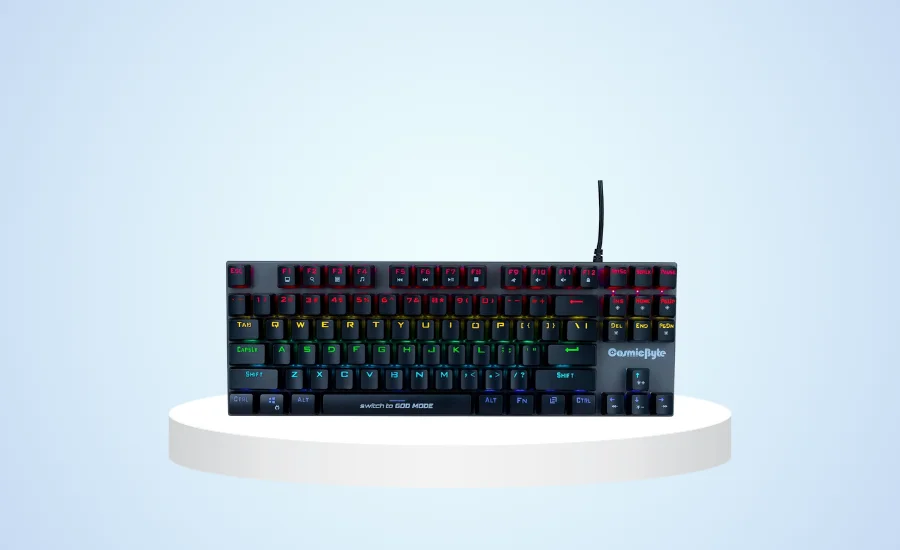
The Pandora is an 87-key tenkeyless board, which frees up desk space for mouse swings. It ships with Outemu Red switches, which are linear and quiet compared with Blue. The switches are not soldered, so you can pull one out and replace it, and Cosmic Byte rates them for 50 million presses.
- 87-key TKL layout, 1.5 m cable
- Swappable Outemu Red switches (a Blue version, CB-GK-25, also exists)
- 20 backlight effects and 8 game modes
- Full anti-ghosting, switchable with Fn+ScrLk
Skip it if you want a detachable cable. Price: around ₹1,500 to ₹1,600. Cosmic Byte Pandora manual has the full spec sheet.
Best for clicky switches: Ant Esports MK1000
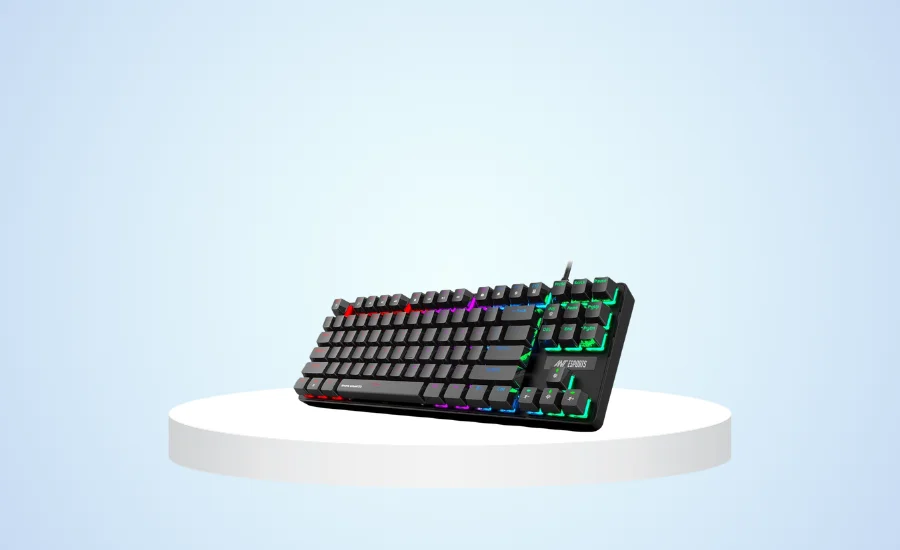
The MK1000 is a TKL board with Outemu Blue switches, a brushed metal top plate and 87-key rollover, so every key registers when you press several at once. Blue switches click loudly. That is fine at home and a problem in a shared room.
- 87 keys, aluminium plate and ABS keycaps
- Outemu Blue switches
- Per-row backlight colours, preset effects and game presets
- 1 year warranty
Listings run from about ₹1,500 to ₹1,800 depending on the seller, so shop around.
Best for hot-swappable switches: EvoFox Katana X2 TKL
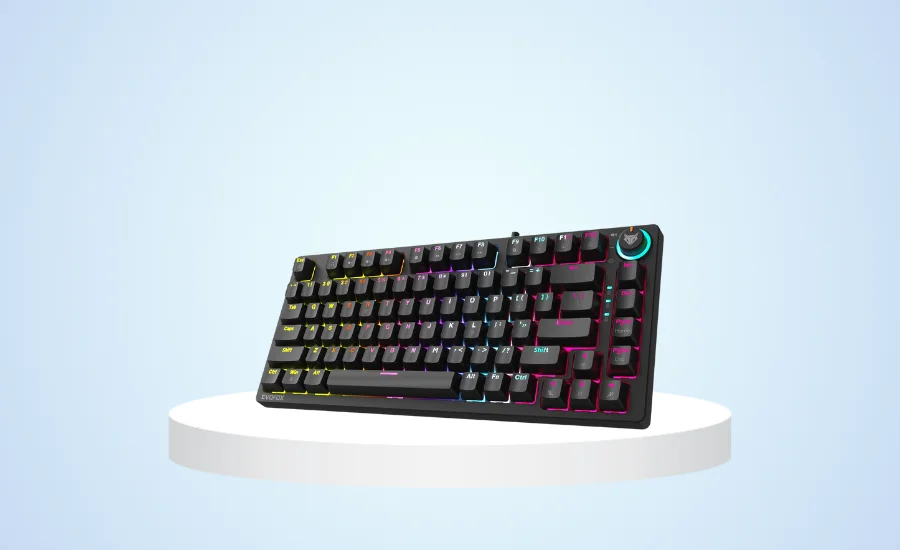
Our earlier version of this post listed red switches. EvoFox sells the TKL with clicky Blue switches, and a Red version in white. The 3-pin sockets let you swap switches without soldering, which is rare under ₹2000. A multi-function knob handles volume and backlight brightness.
- 82-key TKL layout, 615 g
- 3-pin swappable switches
- 10 lighting effects, 1.5 m braided cable
- All-key anti-ghosting
Listed at ₹1,570 to ₹1,900 across retailers. EvoFox Katana X2 TKL spec sheet lists the details.
Best for macro keys: Redragon Shiva K512
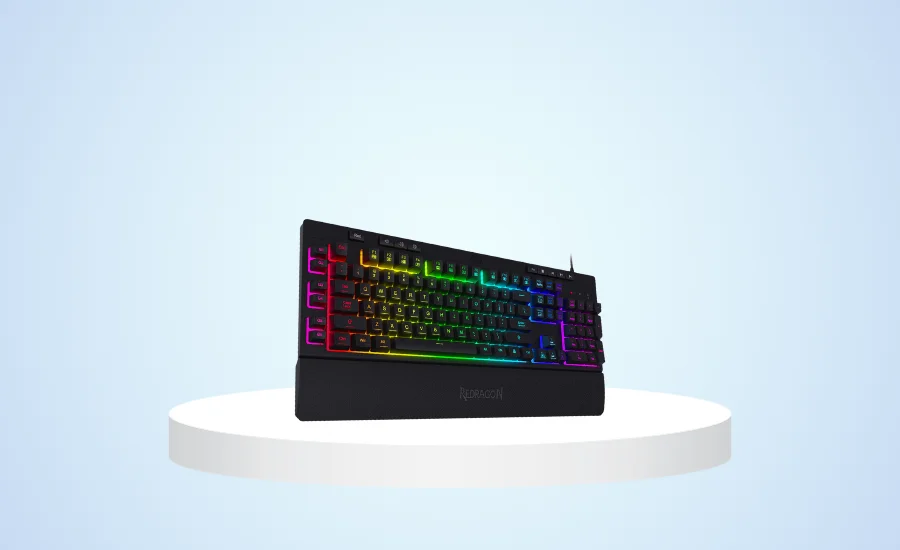
The Shiva is a membrane board, so it feels softer than a mechanical one. What you get instead is six extra macro keys (G1 to G6) that you can program on the board itself, dedicated media controls and a detachable magnetic wrist rest. It suits MMO and strategy players more than shooter players.
- 6 on-board macro keys
- 26-key anti-ghosting
- Detachable magnetic wrist rest
- RGB backlight
Price: about ₹1,800 on Redragon India.
Best for a full-size board with a braided cable: Zebronics Zeb-Transformer-K
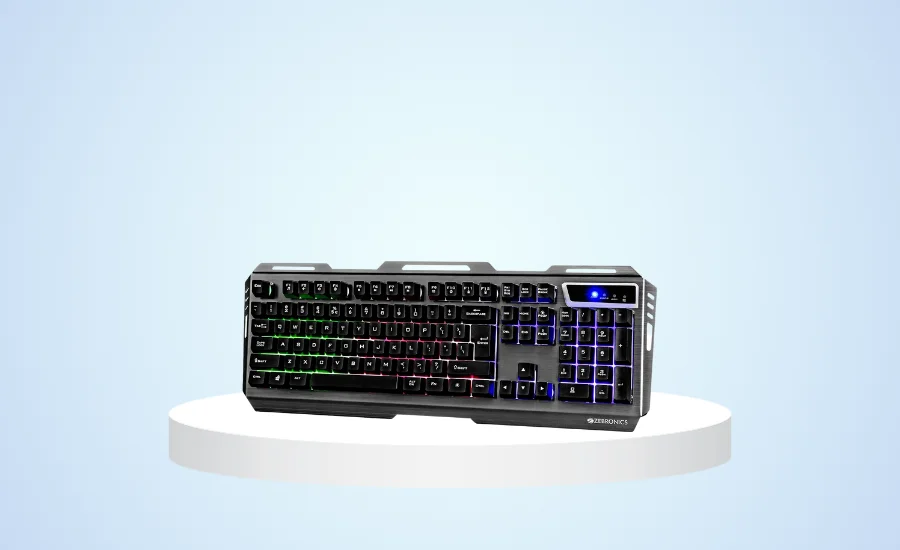
Zebronics lists the Transformer-K at ₹1,549, up from the ₹1,059 we quoted earlier. It is a 104-key membrane keyboard with an aluminium body, 12 multimedia keys, a two-step stand and a 1.8 m braided cable. Lighting has three modes plus off, so there is little to tweak.
Take it if you want a number pad and a sturdy body without a mechanical price. Details are on the Zebronics product page.
Best for the lowest price: HP K500F
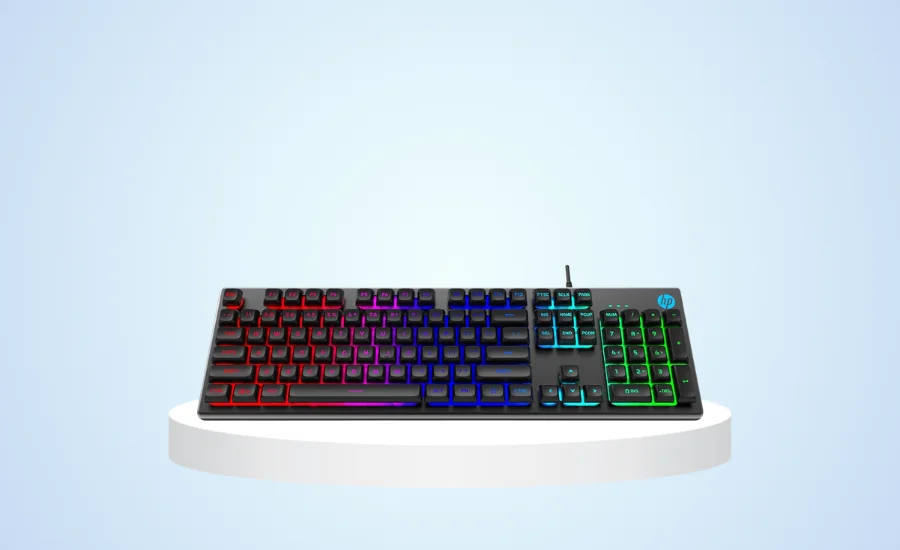
The HP K500F is a plain full-size membrane board with a metal panel, a mixed-colour backlight, a Windows-key lock and 26 anti-ghosting keys. Amazon.in lists it at ₹1,199, and other sellers go as low as ₹999. It does the basics and nothing more.
Best for a mecha-membrane feel: Redragon Dyaus K509
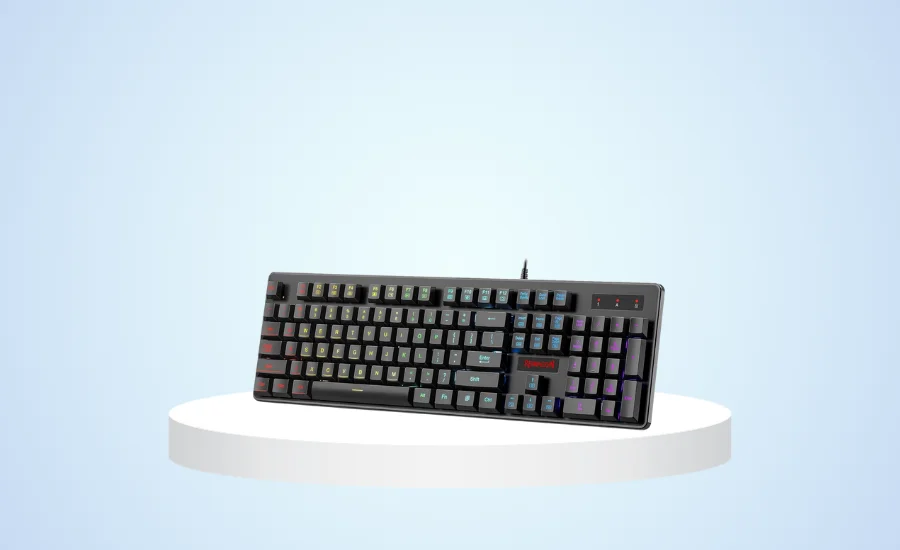
The Dyaus K509 is a 104-key keyboard with a tactile mecha-membrane feel, 7 backlight colours, 25-key anti-ghosting and 11 multimedia keys. It is splash resistant, and Redragon India lists it at ₹1,035 against a ₹1,690 regular price. It is the cheapest way here to get something that feels close to mechanical.
Good boards that now cost more than ₹2000
Three keyboards from the old list drifted above the budget. The Redgear Shadow Blade (a full-size Blue-switch board with a media knob) now sells for roughly ₹2,400 to ₹2,600. The Cosmic Byte Firefly (TKL, swappable Outemu Blue, per-key RGB, detachable USB-C) is listed around ₹2,200. The Cosmic Byte Artemis (68 keys, Outemu Blue, detachable USB-C) sells for about ₹2,000 to ₹2,300. If you can stretch a little, they are worth a look. For a bigger budget, see our guide to mechanical keyboards for competitive play.
Mechanical or membrane at this price
At ₹1,500 to ₹2,000, mechanical boards from Cosmic Byte, Ant Esports and EvoFox use Outemu switches. They feel good and are cheaper to maintain, since a dead switch can be swapped on some of them. Membrane boards like the Shiva and HP K500F are quieter and often come with extras such as macro keys and wrist rests. Pick Red if you want quiet and smooth, and Blue if you want a click.
Anti-ghosting matters more than the label suggests. A board with a 26-key anti-ghosting limit handles typical gaming combos, but N-key rollover (as on the MK1000 and Katana X2) registers every key at once.
Build a budget gaming setup around it
A keyboard is one part of the desk. Pair it with one of our gaming mice under ₹1000 and, if you play online, check the gaming routers for lag-free play list. A fast panel helps more than a pricier keyboard, so see the budget 144Hz gaming monitors. For voice chat, our wireless gaming headsets guide covers options. If you also type for work, the wireless keyboard and mouse combos are the quieter choice.
How we researched this
We checked each model against the manufacturer or brand spec sheet where one exists, then compared current listings on Indian retailers and marketplaces in November 2026. We did not hands-on test the keyboards. Prices are indicative and change with sales and sellers.
FAQs
What is the difference between mechanical and membrane keyboards?
Mechanical keyboards have a separate switch under every key, which gives a distinct feel and sound. Membrane keyboards press through a rubber sheet, so they are softer and quieter and usually cost less.
What does anti-ghosting mean?
Anti-ghosting lets a keyboard register several keys pressed at once. Budget boards often cover 25 or 26 keys, while N-key rollover registers all of them, which matters for fast combos in games.
Is a TKL keyboard a good choice for gaming?
Yes. A tenkeyless board drops the number pad, which gives your mouse arm more room. The Pandora, MK1000 and Katana X2 are all TKL. Skip TKL if you use the number pad often.
Which switch colour should I pick, Red or Blue?
Red switches are linear and quiet, so they suit shared rooms. Blue switches are clicky and tactile, but they are loud. Several boards here, like the Pandora and Katana X2, come in both colours.