


Shopping for a high-end GPU in 2026 means cutting through a wall of acronyms — DLSS 4, FSR 4, ray tracing, GDDR7 — and some eye-watering prices. The good news: only a handful of cards are genuinely worth your money, and which one is “best” depends entirely on whether you’re chasing 4K frame rates, ray tracing, or the most performance per rupee. Here’s what actually matters, and the high-end GPUs we’d buy right now.
⚡ Best high-end GPUs in 2026 — quick verdict
- Best overall: NVIDIA RTX 5090 — fastest card made, the only true 4K path-tracing GPU (~₹2,59,000)
- Best high-end value: NVIDIA RTX 5080 — near-flagship 4K for far less power and money (~₹1,05,000)
- Best value pick: AMD RX 9070 XT — RTX 5070 Ti-class rasterization for less (~₹65,000)
- Best NVIDIA value: NVIDIA RTX 5070 Ti — 4K-capable with DLSS 4 (~₹80,000)
How we chose: research-based, cross-referenced against 2026 GPU benchmark hierarchies and official NVIDIA/AMD specs. 🔎 Some “Buy” links are affiliate links — if you buy through them we may earn a commission at no extra cost to you, and it never changes our picks. GPU prices swing with stock and import duties, so figures were checked June 2026 — verify before buying.
When you’re building a high-performance PC, choosing the right GPU can be tricky. You want something that can handle the latest games, deliver smooth video editing, or support intense 3D rendering.
But with so many options out there, and new models coming out every year, it’s easy to feel lost or worried about picking something that’ll feel outdated too soon or just won’t match what you’re trying to do.
In this guide, we’ll break down the best high-end GPUs to consider this year. We’re focusing on the ones that give you the best performance, reliability, and value.
Whether you’re a gamer, content creator, or professional, we’ve got you covered with options that’ll help you get the most out of your PC without the stress of wondering if you made the right choice. Let’s dive into the best high-end GPUs to make your setup future-proof and powerful.
Factors to Consider When Choosing a High-End GPU
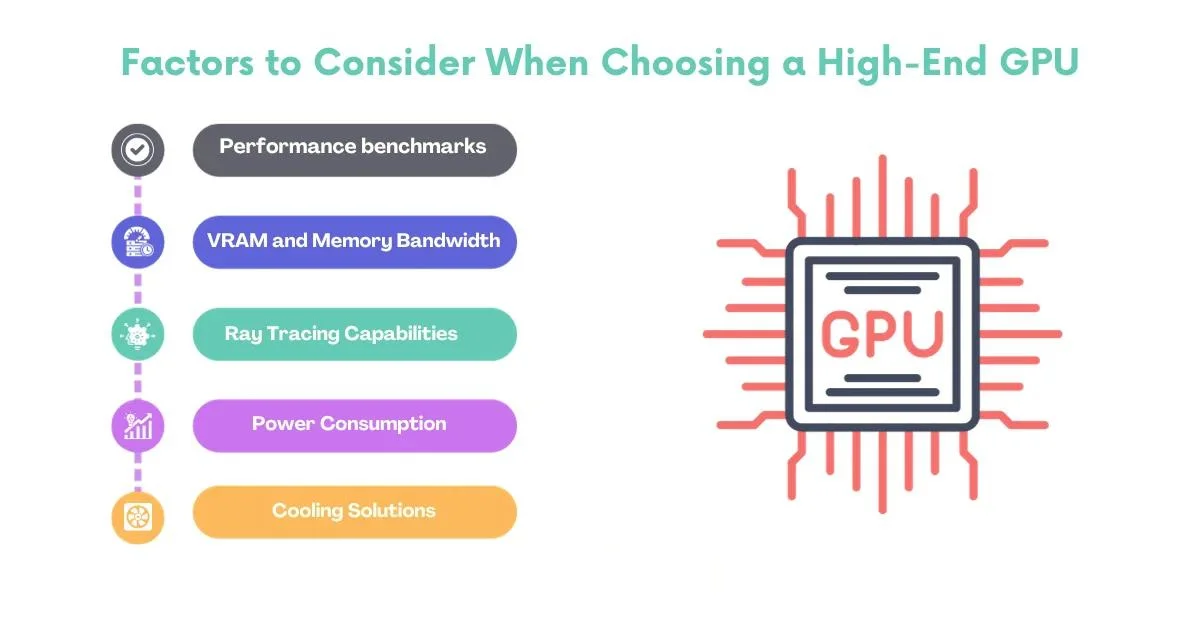
Performance benchmarks
When choosing a high-end GPU, it is crucial to check its performance benchmarks. These benchmarks are based on the overall speed and capability of the GPU. Performance benchmarks give you a measure of how well the GPU performs in various tasks, including gaming, video editing, and other graphics-intensive applications. Higher benchmark scores generally indicate better performance.
VRAM and Memory Bandwidth
VRAM stands for Video Random Access Memory, and it’s the memory dedicated explicitly to handling graphics-related tasks. Think of it as the workspace for your high-end GPU. More VRAM allows the GPUs to handle more extensive and more complex textures, improving performance, especially in high-resolution gaming or content creation. Memory bandwidth is like the data highway that allows quick access to this VRAM, influencing how fast the GPU can process and transfer information.
Ray Tracing Capabilities
Ray Tracing is a technology that simulates how light interacts with objects to create highly realistic lighting and reflections in graphics. A GPU with good ray tracing capabilities can enhance the visual quality of games and other applications, providing a more lifelike and immersive experience.
Power Consumption and Cooling Solutions
Power consumption refers to how much electrical power the GPU requires to operate. It’s essential to consider this factor, especially if you’re conscious of energy efficiency or if you have a specific power supply limit. Cooling solutions are mechanisms designed to keep the GPU at an optimal temperature during operation. Efficient cooling is crucial to prevent overheating, which can affect performance and longevity. Different GPUs come with various cooling solutions, ranging from traditional fans to advanced liquid cooling systems.
List of Best High-End GPUs in 2026
| GPU | Best for | VRAM | Price (₹ / $) |
|---|---|---|---|
| RTX 5090 | 4K max, path tracing, AI/3D | 32 GB GDDR7 | ₹2,59,000 / $1,999 |
| RTX 5080 | High-refresh 1440p & 4K | 16 GB GDDR7 | ₹1,05,000 / $999 |
| RTX 5070 Ti | Entry 4K with DLSS 4 | 16 GB GDDR7 | ₹80,000 / $749 |
| RX 9070 XT | Best value rasterization | 16 GB GDDR6 | ₹65,000 / $599 |
Nvidia RTX 5090
The RTX 5090 is the fastest consumer GPU you can buy in 2026, full stop. Built on NVIDIA’s Blackwell architecture with a massive 32GB of GDDR7, it’s the only card that runs 4K path-traced games — like Cyberpunk 2077 with full ray tracing — at playable frame rates without leaning on upscaling. It doubles as a serious AI and 3D-rendering workstation card.
Best for: 4K-max gamers, 3D artists, and AI developers who want zero compromises. Here’s the catch: it draws up to 575W and costs more than many entire PCs, so you’ll need a hefty power supply and deep pockets.
| Attribute | Specification |
|---|---|
| Chipset | NVIDIA GeForce RTX 5090 |
| Architecture | Blackwell (GB202) |
| VRAM | 32 GB GDDR7 |
| Memory Interface | 512-bit |
| CUDA Cores | 21,760 |
| Boost Clock | ~2.41 GHz |
| TDP | 575 W |
| Recommended PSU | 1000 W+ |
| Price (India) | ~₹2,59,000 / $1,999 |
Nvidia RTX 5080
The RTX 5080 is the sensible flagship. With 16GB of GDDR7 and Blackwell efficiency it powers through 4K gaming and creative work at a fraction of the 5090’s price and wattage. It supports DLSS 4 with Multi Frame Generation, which sharply boosts frame rates in supported games.
Best for: high-refresh 1440p and 4K gamers who want near-top performance without the 5090 tax. Watch out for: 16GB VRAM is plenty for gaming but tighter for heavy 4K/8K video work and large AI models.
| Attribute | Specification |
|---|---|
| Chipset | NVIDIA GeForce RTX 5080 |
| Architecture | Blackwell (GB203) |
| VRAM | 16 GB GDDR7 |
| Memory Interface | 256-bit |
| CUDA Cores | 10,752 |
| Boost Clock | ~2.62 GHz |
| TDP | 360 W |
| Recommended PSU | 850 W+ |
| Price (India) | ~₹1,05,000 / $999 |
Nvidia RTX 5070 Ti
The RTX 5070 Ti is the value pick of the Blackwell line for most enthusiasts. 16GB of GDDR7 and strong ray-tracing performance make it a genuine 4K-capable card with DLSS 4, usually for hundreds less than the 5080.
Best for: 1440p high-refresh and entry-4K gamers who want ray tracing and DLSS without flagship prices. Skip it if: you want the absolute best — step up to the 5080 or 5090.
| Attribute | Specification |
|---|---|
| Chipset | NVIDIA GeForce RTX 5070 Ti |
| Architecture | Blackwell (GB203) |
| VRAM | 16 GB GDDR7 |
| Memory Interface | 256-bit |
| CUDA Cores | 8,960 |
| Boost Clock | ~2.45 GHz |
| TDP | 300 W |
| Recommended PSU | 750 W+ |
| Price (India) | ~₹80,000 / $749 |
AMD Radeon RX 9070 XT
AMD’s RX 9070 XT is the most well-rounded card in years and the value champion of 2026. Built on RDNA 4 with 16GB of GDDR6, it trades blows with the RTX 5070 Ti in rasterized 1440p and 4K gaming for noticeably less money, and RDNA 4 finally makes AMD’s ray tracing and FSR 4 upscaling genuinely competitive.
Best for: gamers who want near-5070 Ti performance and 16GB of VRAM on a tighter budget. Here’s the catch: in heavy path-traced games NVIDIA still pulls ahead, so dedicated ray-tracing chasers may prefer GeForce.
| Attribute | Specification |
|---|---|
| Chipset | AMD Radeon RX 9070 XT |
| Architecture | RDNA 4 (Navi 48) |
| VRAM | 16 GB GDDR6 |
| Memory Interface | 256-bit |
| Stream Processors | 4,096 (64 CUs) |
| Boost Clock | ~2.97 GHz |
| TDP | 304 W |
| Recommended PSU | 750 W+ |
| Price (India) | ~₹65,000 / $599 |
The cards below are previous-generation GPUs (RTX 40-series and Radeon RX 7000/6000). They’re no longer the newest, but as prices fall — especially second-hand — they remain capable buys if the current-gen cards are out of budget or stock. Just check the warranty and avoid ex-mining cards.
Nvidia RTX 4090
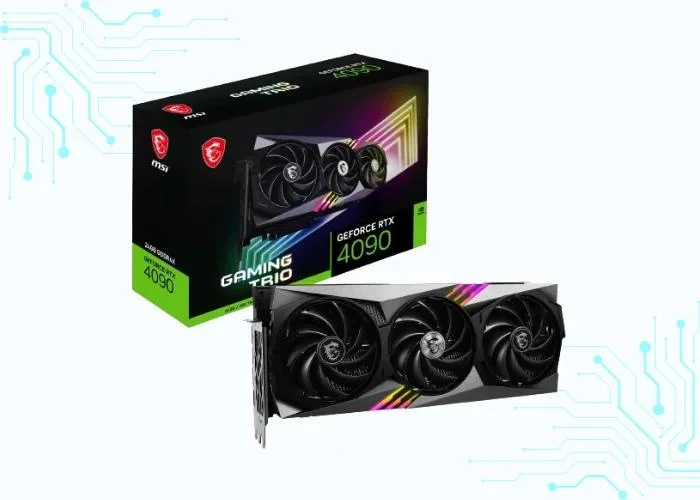
Nvidia RTX 4090 is the top-of-the-line graphics card for gamers and creators. It’s based on the new Ada Lovelace architecture and comes with 24GB of GDDR6X memory. This makes it incredibly powerful and capable of running even the most demanding games and applications at high resolutions and frame rates.
It is a great graphics card for gamers and creators who demand the best performance. However, it’s also one of the most expensive and robust graphics cards on the market. So, if you’re on a budget, you might want to consider a less expensive option.
| Attribute | Specification |
|---|---|
| Chipset | Nvidia RTX 4090 |
| Memory Interface | 384-bit GDDR6X |
| Clock Speed | Base: 2.23 MHz, Boost: 2.52 MHz |
| VRAM | 24 GB GDDR6X |
| Brand and Model | Nvidia RTX 4090 |
| Minimum Power | 850 Watts |
Performance Tests in Various Games
| Game | CPU | Resolution | Graphics Preset | Average FPS |
|---|---|---|---|---|
| CyberPunk | Core-i9 13900K | 3840 x 2160 (4K) | Max | 44 FPS |
| Valorant | Core-i9 13900K | 3840 x 2160 (4K) | Max | 769 FPS |
| Far cry 6 | Core-i9 13900K | 3840 x 2160 (4K) | Max | 126 FPS |
| Grand Theft Auto V | Core-i9 13900K | 3840 x 2160 (4K) | Max | 334 FPS |
| Dota 2 | Core-i9 13900K | 3840 x 2160 (4K) | Max | 241 FPS |
| Call of Duty | Core-i9 13900K | 3840 x 2160 (4K) | Max | 164 FPS |
| Minecraft | Core-i9 13900K | 3840 x 2160 (4K) | Max | 797 FPS |
| Apex Legends | Core-i9 13900K | 3840 x 2160 (4K) | Max | 200 FPS |
| league of legends | Core-i9 13900K | 3840 x 2160 (4K) | Max | 370 FPS |
| Counter-Strike | Core-i9 13900K | 3840 x 2160 (4K) | Max | 346 FPS |
| Forza Horizon 5 | Core-i9 13900K | 3840 x 2160 (4K) | Max | 141 FPS |
| God of War | Core-i9 13900K | 3840 x 2160 (4K) | Max | 146 FPS |
Nvidia RTX 4080
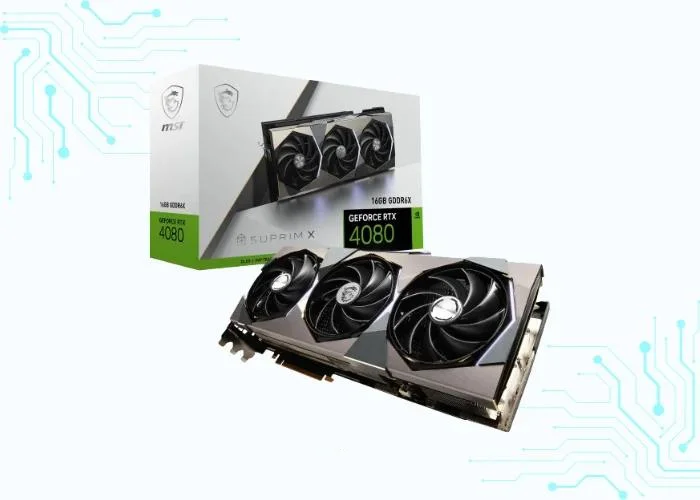
The Nvidia RTX 4080 is a high-end graphics card released in late 2022. It is based on the new Ada Lovelace architecture and offers significant performance improvements over the previous generation RTX 3080.
It is a powerful graphics card that can handle even the most demanding games at high resolution and frame rate. It also supports ray tracing, a technology that simulates realistic lighting effects in games, and The RTX 4080 is also a good choice for creative professionals who need a powerful GPU for tasks such as video editing and 3D rendering.
However, the RTX 4080 is also a costly graphics card. This makes it a poor choice for budget-minded gamers or those who do not need the absolute best performance.
| Attribute | Specification |
|---|---|
| Chipset | Nvidia RTX 4080 |
| Memory Interface | 256-bit GDDR6X |
| Clock Speed | Base clock: 2210 MHz, Boost clock: 2510 MHz |
| VRAM | 16 GB of GDDR6X |
| Brand and Model | Nvidia RTX 4080 |
| Minimum Power | 740 watts |
Performance Tests in Various Games
| Game | CPU | Resolution | Graphics Preset | Average FPS |
|---|---|---|---|---|
| CyberPunk | Core-i9 13900K | 3840 x 2160 (4K) | High | 14 FPS |
| Valorant | Core-i9 13900K | 3840 x 2160 (4K) | High | 676 FPS |
| Far cry 6 | Core-i9 13900K | 3840 x 2160 (4K) | High | 120 FPS |
| Grand Theft Auto V | Core-i9 13900K | 3840 x 2160 (4K) | High | 255 FPS |
| Dota 2 | Core-i9 13900K | 3840 x 2160 (4K) | High | 238 FPS |
| Call of Duty | Core-i9 13900K | 3840 x 2160 (4K) | High | 139 FPS |
| Minecraft | Core-i9 13900K | 3840 x 2160 (4K) | High | 776 FPS |
| Apex Legends | Core-i9 13900K | 3840 x 2160 (4K) | High | 183 FPS |
| league of legends | Core-i9 13900K | 3840 x 2160 (4K) | High | 363 FPS |
| Counter-Strike | Core-i9 13900K | 3840 x 2160 (4K) | High | 333 FPS |
| Forza Horizon 5 | Core-i9 13900K | 3840 x 2160 (4K) | High | 113 FPS |
| God of War | Core-i9 13900K | 3840 x 2160 (4K) | High | 116 FPS |
AMD Radeon RX 7900 XTX
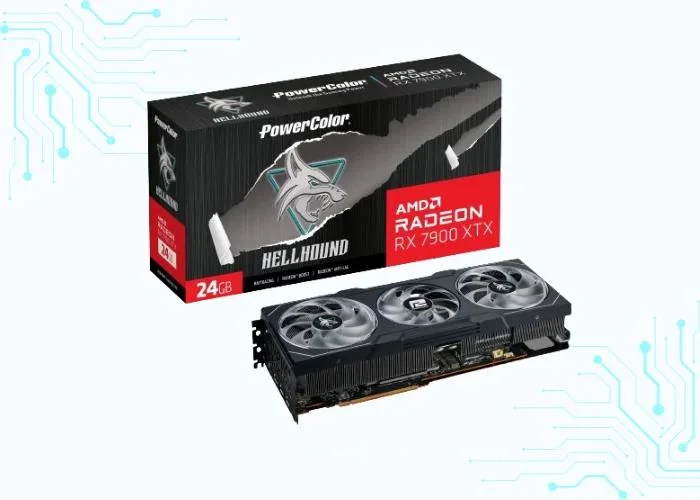
The AMD Radeon RX 7900 XTX is a high-end graphics card released in December 2023 as part of AMD’s RDNA 3 architecture. It’s aimed at the most demanding gamers, offering exceptional performance for ultra-high-resolution resolutions and demanding workloads like ray tracing and AI-powered games.
The AMD Radeon RX 7900 XTX is a powerful graphics card for those who demand the best performance for 4K and beyond gaming. It comes with a premium price tag and high power consumption, making it suitable for enthusiasts and hardcore gamers.
| Attribute | Specification |
|---|---|
| Chipset | AMD Radeon RX 7900 XTX |
| Memory Interface | 384 BIT GDDR6 |
| Clock Speed | Base Clock: 2.3 GHz and Boost Clock: 2.5 GHz |
| VRAM | 24 GB GDDR6 |
| Brand and Model | AMD Radeon RX 7900 XTX |
| Minimum Power | 800 Watts |
Performance Tests in Various Games
| Game | CPU | Resolution | Graphics Preset | Average FPS |
|---|---|---|---|---|
| CyberPunk | Core-i9 13900K | 3840 x 2160 (4K) | High | 21 FPS |
| Valorant | Core-i9 13900K | 3840 x 2160 (4K) | High | 700 FPS |
| Far cry 6 | Core-i9 13900K | 3840 x 2160 (4K) | High | 122 FPS |
| Grand Theft Auto V | Core-i9 13900K | 3840 x 2160 (4K) | High | 272 FPS |
| Dota 2 | Core-i9 13900K | 3840 x 2160 (4K) | High | 240 FPS |
| Call of Duty | Core-i9 13900K | 3840 x 2160 (4K) | High | 146 FPS |
| Minecraft | Core-i9 13900K | 3840 x 2160 (4K) | High | 784 FPS |
| Apex Legends | Core-i9 13900K | 3840 x 2160 (4K) | High | 186 FPS |
| league of legends | Core-i9 13900K | 3840 x 2160 (4K) | High | 365 FPS |
| Counter-Strike | Core-i9 13900K | 3840 x 2160 (4K) | High | 337 FPS |
| Forza Horizon 5 | Core-i9 13900K | 3840 x 2160 (4K) | High | 120 FPS |
| God of War | Core-i9 13900K | 3840 x 2160 (4K) | High | 124 FPS |
Nvidia RTX 4070-Ti
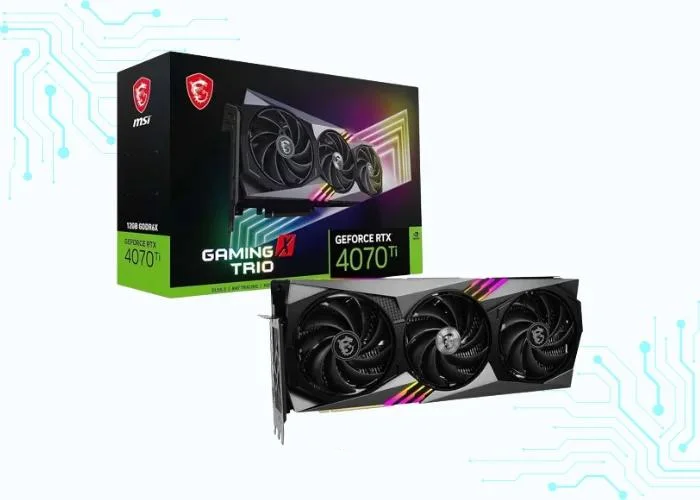
The Nvidia RTX 4070 Ti is a powerful graphics card released in late 2023, alongside its sibling, the RTX 4070. Both cards are built on the new Ada Lovelace architecture and offer significant performance improvements over the previous generation RTX 3070.
It is a beast when it comes to gaming, capable of smoothly running even the most demanding titles at high resolutions and frame rates with all the bells and whistles turned on, including ray tracing for realistic lighting effects. It’s also a great choice for creative professionals who need a powerful GPU for tasks like video editing, 3D rendering, and animation.
| Attribute | Specification |
|---|---|
| Chipset | NVIDIA RTX 4070-Ti |
| Memory Interface | GDDR6X |
| Clock Speed | Base clock: 2.31 GHz, Boost clock: 2.61 GHz |
| VRAM | 12 GB GDDR6X |
| Brand and Model | NVIDIA RTX 4070-Ti |
| Minimum Power | 700 Watts |
Performance Tests in Various Games
| Game | CPU | Resolution | Graphics Preset | Average FPS |
|---|---|---|---|---|
| CyberPunk | Core-i9 13900K | 3840 x 2160 (4K) | High | <10 FPS |
| Valorant | Core-i9 13900K | 3840 x 2160 (4K) | High | 606 FPS |
| Far cry 6 | Core-i9 13900K | 3840 x 2160 (4K) | High | 109 FPS |
| Grand Theft Auto V | Core-i9 13900K | 3840 x 2160 (4K) | High | 211 FPS |
| Dota 2 | Core-i9 13900K | 3840 x 2160 (4K) | High | 227 FPS |
| Call of Duty | Core-i9 13900K | 3840 x 2160 (4K) | High | 117 FPS |
| Minecraft | Core-i9 13900K | 3840 x 2160 (4K) | High | 739 FPS |
| Apex Legends | Core-i9 13900K | 3840 x 2160 (4K) | High | 159 FPS |
| league of legends | Core-i9 13900K | 3840 x 2160 (4K) | High | 359 FPS |
| Counter-Strike | Core-i9 13900K | 3840 x 2160 (4K) | High | 319 FPS |
| Forza Horizon 5 | Core-i9 13900K | 3840 x 2160 (4K) | High | 89 FPS |
| God of War | Core-i9 13900K | 3840 x 2160 (4K) | High | 94 FPS |
Nvidia RTX 3090-Ti
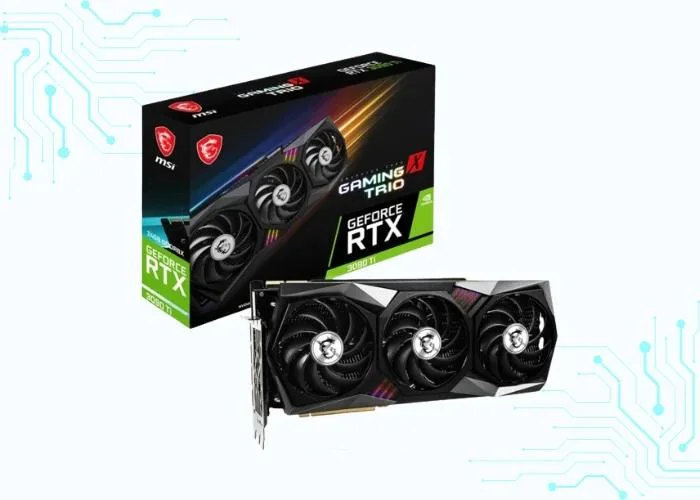
The Nvidia RTX 3090 Ti, released in early 2023, is a behemoth of a graphics card, sitting at the top of the previous generation RTX 30 series pyramid. While it’s now overshadowed by the newer RTX 40 series, it’s still a beast for those looking for raw power and exceptional performance.
It is a monster for 4K and even 8K gaming, able to handle virtually any title thrown at it at high frame rates and maxed-out settings. It’s also great for memory-intensive tasks like video editing, 3D rendering, and scientific computing, thanks to its massive 24GB of GDDR6X memory.
| Attribute | Specification |
|---|---|
| Chipset | GA102-350-KD-A1 |
| Memory Interface | 384-bit GDDR6X |
| Clock Speed | Base: 1560 MHz, Boost: 1860 MHz |
| VRAM | 24 GB GDDR6X |
| Brand and Model | Nvidia GeForce RTX 3090 Ti |
| Minimum Power | 850 Watts |
Performance Tests in Various Games
| Game | CPU | Resolution | Graphics Preset | Average FPS |
|---|---|---|---|---|
| CyberPunk | Core-i9 13900K | 3840 x 2160 (4K) | High | <10 FPS |
| Valorant | Core-i9 13900K | 3840 x 2160 (4K) | High | 593 FPS |
| Far cry 6 | Core-i9 13900K | 3840 x 2160 (4K) | High | 107 FPS |
| Grand Theft Auto V | Core-i9 13900K | 3840 x 2160 (4K) | High | 203 FPS |
| Dota 2 | Core-i9 13900K | 3840 x 2160 (4K) | High | 225 FPS |
| Call of Duty | Core-i9 13900K | 3840 x 2160 (4K) | High | 112 FPS |
| Minecraft | Core-i9 13900K | 3840 x 2160 (4K) | High | 731 FPS |
| Apex Legends | Core-i9 13900K | 3840 x 2160 (4K) | High | 153 FPS |
| league of legends | Core-i9 13900K | 3840 x 2160 (4K) | High | 358 FPS |
| Counter-Strike | Core-i9 13900K | 3840 x 2160 (4K) | High | 316 FPS |
| Forza Horizon 5 | Core-i9 13900K | 3840 x 2160 (4K) | High | 84 FPS |
| God of War | Core-i9 13900K | 3840 x 2160 (4K) | High | 89 FPS |
Nvidia RTX 3080-Ti
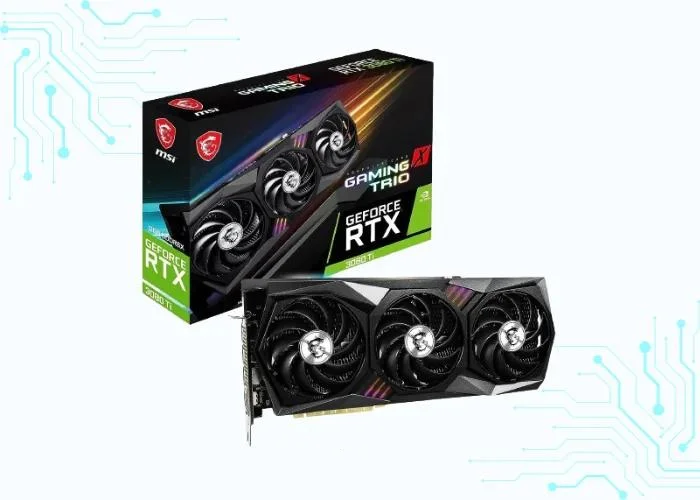
The Nvidia RTX 3080 Ti, launched in June 2021, was a powerful graphics card that still packs a punch even with the newer RTX 40 series around. It falls between the RTX 3080 and the mighty RTX 3090 in terms of performance and price, making it a compelling option for those seeking a balance between top-tier capabilities and cost.
It delivers fantastic performance for 4K gaming, offering smooth gameplay and stunning visuals in demanding titles. It also excels at 1440p and 1080p gaming, pushing high frame rates for a butter-smooth experience. Its 12GB of GDDR6X memory makes it suitable for memory-intensive tasks like video editing and 3D rendering, though not quite as adept as the RTX 3090 Ti with its 24GB.
| Attribute | Specification |
|---|---|
| Chipset | Nvidia GA102-225-A1 |
| Memory Interface | 384-bit GDDR6X |
| Clock Speed | Base: 1365 MHz, Boost: 1665 MHz |
| VRAM | 12 GB GDDR6X |
| Brand and Model | Nvidia GeForce RTX 3080 Ti |
| Minimum Power | 750 watts |
Performance Tests in Various Games
| Game | CPU | Resolution | Graphics Preset | Average FPS |
|---|---|---|---|---|
| CyberPunk | Core-i9 13900K | 3840 x 2160 (4K) | High | <10 FPS |
| Valorant | Core-i9 13900K | 3840 x 2160 (4K) | High | 562 FPS |
| Far cry 6 | Core-i9 13900K | 3840 x 2160 (4K) | High | 102 FPS |
| Grand Theft Auto V | Core-i9 13900K | 3840 x 2160 (4K) | High | 188 FPS |
| Dota 2 | Core-i9 13900K | 3840 x 2160 (4K) | High | 218 FPS |
| Call of Duty | Core-i9 13900K | 3840 x 2160 (4K) | High | 102 FPS |
| Minecraft | Core-i9 13900K | 3840 x 2160 (4K) | High | 710 FPS |
| Apex Legends | Core-i9 13900K | 3840 x 2160 (4K) | High | 141 FPS |
| league of legends | Core-i9 13900K | 3840 x 2160 (4K) | High | 356 FPS |
| Counter-Strike | Core-i9 13900K | 3840 x 2160 (4K) | High | 309 FPS |
| Forza Horizon 5 | Core-i9 13900K | 3840 x 2160 (4K) | High | 72 FPS |
| God of War | Core-i9 13900K | 3840 x 2160 (4K) | High | 79 FPS |
AMD RX 6950-XT
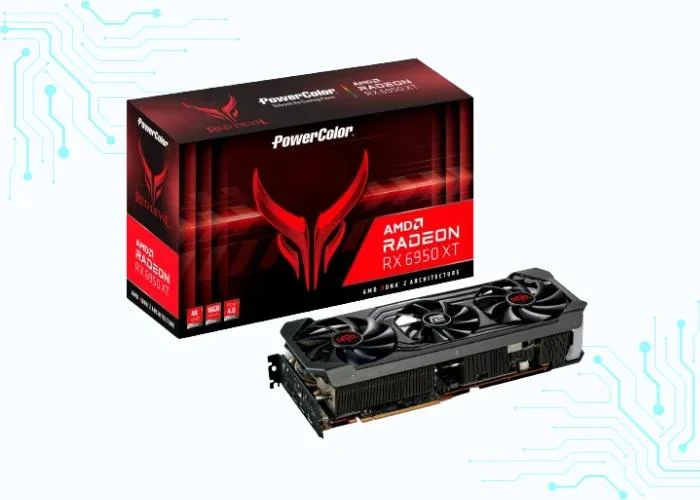
The AMD RX 6950 XT is a high-end graphics card released in late 2022, boasting the powerful RDNA 2 architecture and offering impressive performance for gamers and creators alike.
It is a powerhouse for 4K gaming, delivering smooth gameplay and stunning visuals in even the most demanding titles. It also excels at 1440p and 1080p gaming, pushing high-frame rates for a buttery-smooth experience. Additionally, its 16GB of GDDR6 memory makes it well-suited for memory-intensive tasks like video editing and 3D rendering.
| Attribute | Specification |
|---|---|
| Chipset | AMD RX 6950-XT |
| Memory Interface | 256-bit |
| Clock Speed | Base: 1860 MHz, Boost: 2310 MHz |
| VRAM | GB GDDR6 |
| Brand and Model | AMD Radeon RX 6950-XT |
| Minimum Power | 850 Watts |
Performance Tests in Various Games
| Game | CPU | Resolution | Graphics Preset | Average FPS |
|---|---|---|---|---|
| CyberPunk | Core-i9 13900K | 3840 x 2160 (4K) | High | <10 FPS |
| Valorant | Core-i9 13900K | 3840 x 2160 (4K) | High | 590 FPS |
| Far cry 6 | Core-i9 13900K | 3840 x 2160 (4K) | High | 107 FPS |
| Grand Theft Auto V | Core-i9 13900K | 3840 x 2160 (4K) | High | 202 FPS |
| Dota 2 | Core-i9 13900K | 3840 x 2160 (4K) | High | 224 FPS |
| Call of Duty | Core-i9 13900K | 3840 x 2160 (4K) | High | 111 FPS |
| Minecraft | Core-i9 13900K | 3840 x 2160 (4K) | High | 729 FPS |
| Apex Legends | Core-i9 13900K | 3840 x 2160 (4K) | High | 153 FPS |
| league of legends | Core-i9 13900K | 3840 x 2160 (4K) | High | 358 FPS |
| Counter-Strike | Core-i9 13900K | 3840 x 2160 (4K) | High | 316 FPS |
| Forza Horizon 5 | Core-i9 13900K | 3840 x 2160 (4K) | High | 83 FPS |
| God of War | Core-i9 13900K | 3840 x 2160 (4K) | High | 88 FPS |
AMD RX 6900-XT
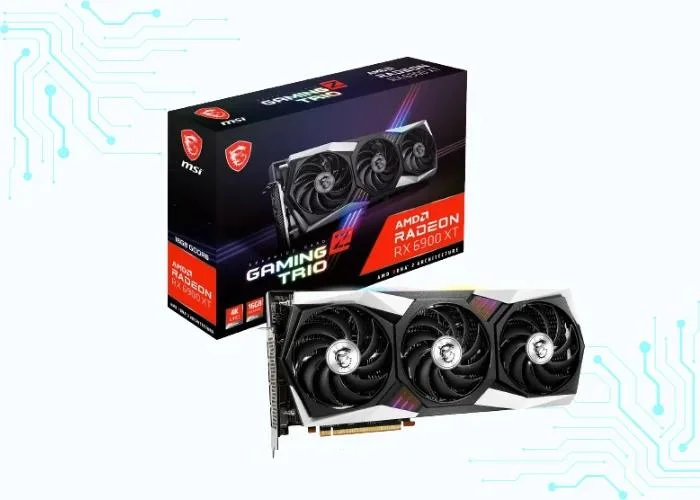
The AMD RX 6900 XT, launched in late 2020, was a flagship graphics card in its era and still offers respectable performance in 2024. It sits just below the RX 6950 XT in AMD’s RDNA 2 lineup, packing a punch for high-resolution gaming and creative tasks.
It excels at 4K gaming, delivering smooth gameplay and impressive visuals in most titles. While not quite as powerful as the newer RX 6950 XT, it still holds its own at 1440p and 1080p, achieving high frame rates for a silky-smooth experience. Its 16GB of GDDR6 memory makes it suitable for memory-intensive tasks like video editing and 3D rendering.
| Attribute | Specification |
|---|---|
| Chipset | AMD Radeon RX 6900-XT |
| Memory Interface | 256-bit GDDR6 |
| Clock Speed | Up to 2015 MHz |
| VRAM | 16 GB |
| Brand and Model | AMD RX 6900-XT |
| Minimum Power | 300 watts |
Performance Tests in Various Games
| Game | CPU | Resolution | Graphics Preset | Average FPS |
|---|---|---|---|---|
| CyberPunk | Core-i9 13900K | 3840 x 2160 (4K) | High | <10 FPS |
| Valorant | Core-i9 13900K | 3840 x 2160 (4K) | High | 578 FPS |
| Far cry 6 | Core-i9 13900K | 3840 x 2160 (4K) | High | 105 FPS |
| Grand Theft Auto V | Core-i9 13900K | 3840 x 2160 (4K) | High | 196 FPS |
| Dota 2 | Core-i9 13900K | 3840 x 2160 (4K) | High | 221 FPS |
| Call of Duty | Core-i9 13900K | 3840 x 2160 (4K) | High | 107 FPS |
| Minecraft | Core-i9 13900K | 3840 x 2160 (4K) | High | 721 FPS |
| Apex Legends | Core-i9 13900K | 3840 x 2160 (4K) | High | 148 FPS |
| league of legends | Core-i9 13900K | 3840 x 2160 (4K) | High | 357 FPS |
| Counter-Strike | Core-i9 13900K | 3840 x 2160 (4K) | High | 313 FPS |
| Forza Horizon 5 | Core-i9 13900K | 3840 x 2160 (4K) | High | 78 FPS |
| God of War | Core-i9 13900K | 3840 x 2160 (4K) | High | 85 FPS |
AMD Radeon RX 7800 XT
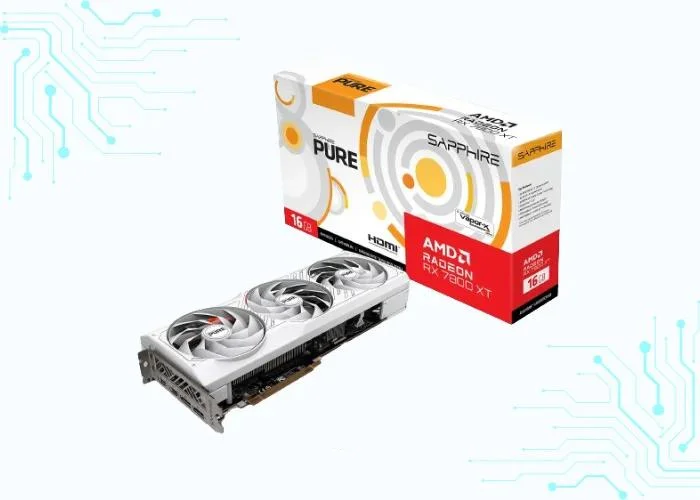
The AMD Radeon RX 7800 XT is a high-end graphics card released in September 2023. It is based on the RDNA 3 architecture and is positioned as a 1440p gaming card, although it can also handle 4K gaming at some settings.
It is a great choice for gamers who are looking for a high-performance graphics card that can handle 1440p and 4K gaming. It is also a good option for gamers who want to take advantage of new features like ray tracing and AMD FidelityFX Super Resolution.
| Attribute | Specification |
|---|---|
| Chipset | AMD Radeon RX 7800 XT |
| Memory Interface | 256-Bit GDDR6 |
| Clock Speed | (Base) 2124 MHz, (Boost) 2430 MHz |
| VRAM | 16 GB GDDR6 |
| Brand and Model | AMD Radeon RX 7800 XT |
| Minimum Power | 700 Watts |
Performance Tests in Various Games
| Game | CPU | Resolution | Graphics Preset | Average FPS |
|---|---|---|---|---|
| CyberPunk | Core-i9 13900K | 3840 x 2160 (4K) | Max | <10 FPS |
| Valorant | Core-i9 13900K | 3840 x 2160 (4K) | Max | 566 FPS |
| Far cry 6 | Core-i9 13900K | 3840 x 2160 (4K) | Max | 102 FPS |
| Grand Theft Auto V | Core-i9 13900K | 3840 x 2160 (4K) | Max | 190 FPS |
| Dota 2 | Core-i9 13900K | 3840 x 2160 (4K) | Max | 219 FPS |
| Call of Duty | Core-i9 13900K | 3840 x 2160 (4K) | Max | 104 FPS |
| Minecraft | Core-i9 13900K | 3840 x 2160 (4K) | Max | 713 FPS |
| Apex Legends | Core-i9 13900K | 3840 x 2160 (4K) | Max | 143 FPS |
| league of legends | Core-i9 13900K | 3840 x 2160 (4K) | Max | 357 FPS |
| Counter-Strike | Core-i9 13900K | 3840 x 2160 (4K) | Max | 310 FPS |
| Forza Horizon 5 | Core-i9 13900K | 3840 x 2160 (4K) | Max | 74 FPS |
| God of War | Core-i9 13900K | 3840 x 2160 (4K) | Max | 81 FPS |
Nvidia RTX 4060
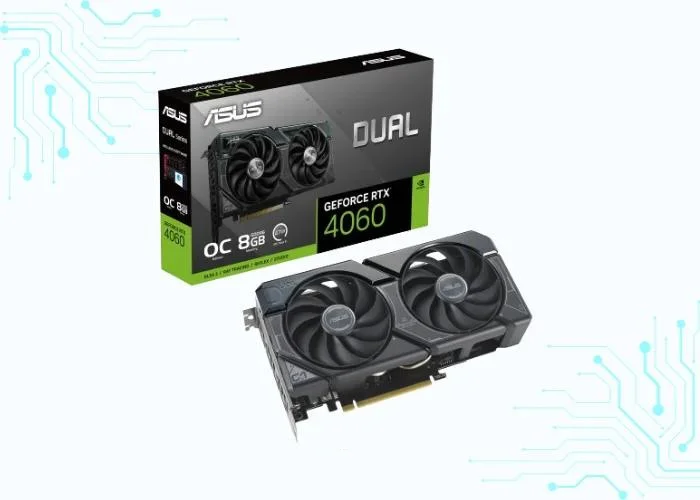
The Nvidia RTX 4060 is a graphics card (GPU) based on the new Ada Lovelace architecture, released in late 2023. It’s positioned as a mid-range option within the RTX 40 series, offering solid performance for 1080p and 1440p gaming, along with capabilities for creative work and content creation.
It is a high-end GPU well-suited for demanding gamers and creative professionals. It offers excellent performance, cutting-edge features, and versatility for both gaming and creative work. However, it’s also a more expensive option compared to mid-range GPUs.
| Attribute | Specification |
|---|---|
| Chipset | Nvidia RTX 4060 |
| Memory Interface | 128-bit memory interface |
| Clock Speed | (Base) 1,830 MHz, (Boost) 2,460 MHz |
| VRAM | 8 GB of GDDR6 VRAM |
| Brand and Model | Nvidia RTX 4060 |
| Minimum Power | 110 Watts |
Performance Tests in Various Games
| Game | CPU | Resolution | Graphics Preset | Average FPS |
|---|---|---|---|---|
| CyberPunk | Core-i9 13900K | 3840 x 2160 (4K) | Max | <10 FPS |
| Valorant | Core-i9 13900K | 3840 x 2160 (4K) | Max | 421 FPS |
| Far cry 6 | Core-i9 13900K | 3840 x 2160 (4K) | Max | 70 FPS |
| Grand Theft Auto V | Core-i9 13900K | 3840 x 2160 (4K) | Max | 137 FPS |
| Dota 2 | Core-i9 13900K | 3840 x 2160 (4K) | Max | 176 FPS |
| Call of Duty | Core-i9 13900K | 3840 x 2160 (4K) | Max | 52 FPS |
| Minecraft | Core-i9 13900K | 3840 x 2160 (4K) | Max | 591 FPS |
| Apex Legends | Core-i9 13900K | 3840 x 2160 (4K) | Max | 70 FPS |
| league of legends | Core-i9 13900K | 3840 x 2160 (4K) | Max | 349 FPS |
| Counter-Strike | Core-i9 13900K | 3840 x 2160 (4K) | Max | 275 FPS |
| Forza Horizon 5 | Core-i9 13900K | 3840 x 2160 (4K) | Max | 17 FPS |
| God of War | Core-i9 13900K | 3840 x 2160 (4K) | Max | 34 FPS |
Overclocking and Cooling Solutions
Overclocking and Cooling Solutions are crucial aspects of maximizing the performance of cooling systems. Let’s explore the pros and cons of overclocking:
Importance of Cooling Systems
The performance of a GPU is directly tied to how efficiently it manages heat. As a GPU works harder, it generates more heat, and without proper cooling, it can lead to thermal throttling, reducing performance and potentially damaging the hardware.
Why Cooling System Matter:
- Temperature Regulation: Cooling systems, such as fans or liquid cooling solutions, help maintain optimal operating temperature for the GPU.
- Preventing Thermal Throttling: Effective cooling prevents the GPU from reaching a temperature where it automatically reduces its performance to avoid damage.
- Extended Lifespan: Lower temperatures contribute to the longevity of the GPU by reducing wear and tear on the components.
A reliable cooling system is essential for ensuring that your high-end GPU operates at peak performance without risking overheating.
Pros and Cons of Overclocking
Overclocking involves pushing the GPU beyond its factory-set specification to achieve higher clock speeds, and, consequently, better performance. However, it comes with both advantages and drawbacks.
Pros of Overclocking:
- Increased Performance: Overclocking can lead to higher frame rates and improved performance in graphics-intensive tasks.
- Cost-Effective Boost: Instead of upgrading to a new GPU, overclocking allows users to squeeze more performance out of their existing hardware.
- Customization: Overclocking generates more heat, necessitating better cooling solutions to prevent overheating.
- Extend Hardware Lifespan: A moderate overclock can sometimes keep your older hardware competitive with newer models for a longer period, allowing you to delay an upgrade.
- Technical Satisfaction: For tech-savvy users, the process of overclocking can be a rewarding experience, offering a sense of accomplishment and a deeper understanding of your hardware.
Cons of Overclocking:
- Heat generation: Overclocking generates more heat, necessitating better cooling solutions to prevent overheating.
- Potential Instability: Pushing the GPU beyond its limits can lead to system instability, crashes, or even hardware damage.
- Voiding Warranty: Overclocking often voids the manufacturer’s warranty, leaving users responsible for any potential damage.
How new technologies impact GPU choices
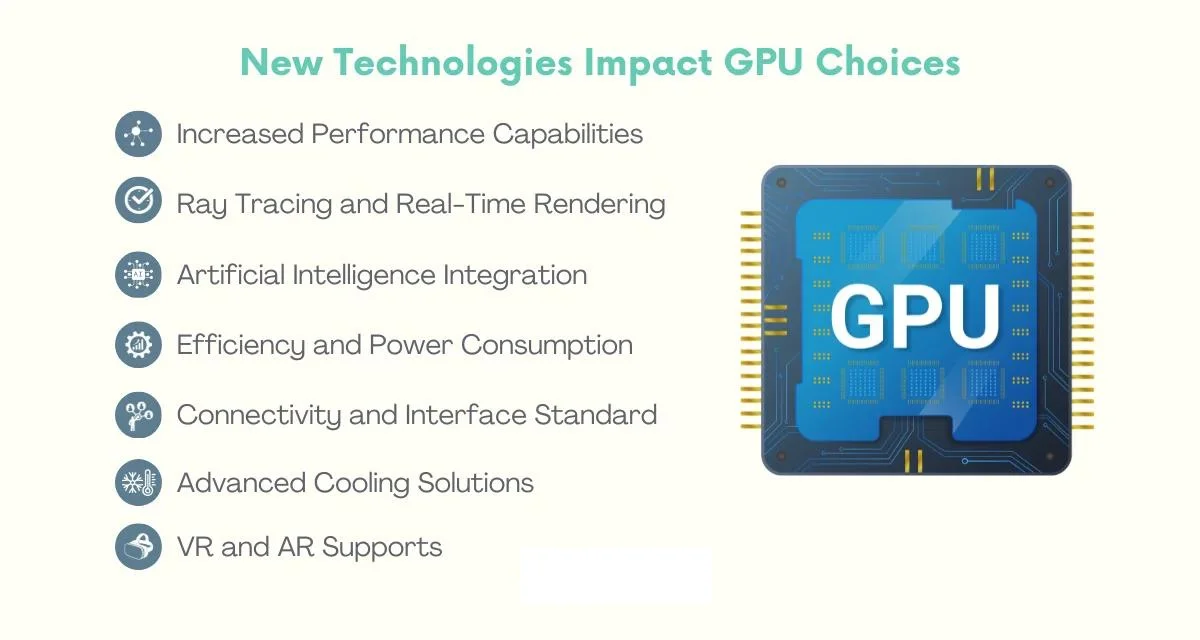
As technology advances at a rapid pace, the landscape of graphics processing units (GPUs) is continually evolving, and understanding how new technologies impact GPU choices is crucial. Let’s delve into the ways emerging technologies influence the selection of GPUs:
Increased Performance Capabilities:
New technologies often bring about improved performance capabilities in GPUs. Whether it’s advancements in architecture, faster memory technologies, or more efficient processing units, these enhancements result in GPUs that can handle more demanding tasks, such as high-resolution gaming, complex simulations, and resource-intensive content creation.
Ray Tracing and Real-Time Rendering:
Ray tracing, a technology simulating the way light interacts with virtual objects, has become a game-changer in the graphics industry. GPUs equipped with ray tracing capabilities provide a more realistic visual experience in games and applications. As this technology evolves, users seeking cutting-edge graphics often prioritize GPUs that excel in real-time rendering.
Artificial Intelligence Integration:
The integration of artificial intelligence (AI) into GPUs has opened new possibilities. AI-enhanced features, such as deep learning super sampling (DLSS) in gaming, contribute to improved image quality and performance. GPUs with dedicated AI cores or tensor cores are increasingly sought after for applications that leverage machine learning and AI algorithms.
Efficiency and Power Consumption:
New technologies frequently focus on improving efficiency and reducing power consumption. Energy-efficient GPUs not only contribute to a more environmentally friendly computing experience but also lead to less heat generation and quieter operation. Users, especially those conscious of energy consumption, may prioritize GPUs that offer a balance between performance and efficiency.
Connectivity and Interface Standard:
Evolving connectivity standards, such as PCIe (Peripheral Component Interconnect Express), impact the data transfer speed between GPUs and other components in a computer. GPUs compatible with the latest interface standards ensure optimal communication with the rest of the system, enhancing overall performance.
Advanced Cooling Solutions:
The introduction of new cooling technologies plays a role in GPU choices. Efficient cooling solutions, including innovative fan designs, liquid cooling systems, and heat dissipation methods, contribute to maintaining optimal operating temperatures. Users may consider GPUs with advanced cooling solutions for improved longevity and sustained performance.
VR (Virtual Reality) and AR (Augmented Reality) support:
GPUs that support virtual and augmented reality applications are gaining prominence. As these technologies become more mainstream, users interested in immersive experiences seek GPUs that can deliver smooth and responsive VR and AR content.
Tips for Optimizing GPU Performance

Optimizing GPU performance involves a combination of software tweaks and maintenance practices to ensure that your high-end graphics card operates at its best. Let’s explore these aspects in detail:
Software Tweaks
- Driver Updates: Regularly update your GPU drivers to access performance improvements, bug fixes, and compatibility enhancements with the latest software.
- Optimized Settings: Adjust in-game settings to find the right balance between graphical fidelity and performance. Lowering certain settings can significantly improve frame rates.
- GPU Management Software: Utilize manufacturer-provided GPU management software to fine-tune settings. These tools often allow customization of clock speed, fan profiles, and power settings.
- Resolution and Scaling: Experiment with different resolutions and scaling options. Lowering the resolution can boost performance, especially in resource-intensive applications.
- Background Applications: Close unnecessary background applications to free up system resources. This ensures that the GPU can focus on the primary task at hand without unnecessary load.
Maintenance Practices
- Dust Management: Regularly clean the GPU and its surrounding components to prevent dust buildup. Dust can act as an insulator, leading to increased temperatures and reduced cooling efficiency.
- Cooling System Check: Ensure that the cooling system is functioning optimally. Check for any malfunctioning fans or cooling components. Upgrading to more efficient cooling solutions can also be beneficial.
- Proper Ventilation: Ensure that your computer case has proper ventilation. Good airflow helps dissipate heat effectively and prevents components from overheating.
- Monitor Temperatures: Use monitoring software to keep an eye on GPU temperatures. If temperatures consistently run too high, consider adjusting settings or upgrading cooling solutions.
- Power Supply Considerations: Ensure that your power supply unit (PSU) provides sufficient and stable power to the GPU. Inadequate power can lead to performance issues or system instability.
- Regular System Maintenance: Conduct routine maintenance on your entire system, including software updates, antivirus scans, and disk cleanup. A well-maintained system is more likely to run optimally.
FAQs
Which high-end GPU is best in 2026?
The NVIDIA RTX 5090 is the fastest, but the RTX 5080 is the best high-end value for most people. AMD’s RX 9070 XT is the best value overall, and the RTX 5070 Ti is the best mid-high NVIDIA pick. Choose based on whether you prioritise 4K, ray tracing, or price-to-performance.
Is the RTX 5090 worth double the price of the RTX 5080?
Only for specific users. The RTX 5090 is worth it for 4K path tracing, heavy 3D rendering, AI workloads, or 8K. For pure gaming, the RTX 5080 delivers roughly 70–80% of the performance for about half the price, making it the smarter buy for most gamers.
NVIDIA or AMD for a high-end GPU in 2026?
NVIDIA leads in ray tracing, DLSS 4 upscaling, and creator/AI apps. AMD’s RX 9070 XT wins on price-to-rasterization performance and gives you 16GB of VRAM cheaply. Pick NVIDIA for ray tracing and creative work; pick AMD for the best value in traditional gaming.
How much VRAM do I need for 4K gaming?
16GB is the sweet spot for 4K gaming in 2026 and is what the RTX 5080, 5070 Ti, and RX 9070 XT all offer. 12GB is fine for 1440p, while 24–32GB only matters for heavy 3D rendering, AI models, or 8K video editing.
Is the RX 9070 XT good for ray tracing?
Yes, far better than older Radeon cards. RDNA 4 closes much of the gap and the RX 9070 XT handles ray tracing well at 1440p. It still trails GeForce in full path-traced games like Cyberpunk 2077, but for most RT titles it’s very playable.
What power supply do I need for these GPUs?
Plan for roughly 750W for the RTX 5070 Ti or RX 9070 XT, 850W for the RTX 5080, and 1000W or more for the RTX 5090. Use a quality 80 Plus Gold unit, and for RTX 50-series cards make sure it has the 12V-2×6 power connector.
Should I buy a used RTX 40-series card to save money?
It can be excellent value — a used RTX 4080 or 4090 is still very fast. Just confirm the warranty status, avoid cards used heavily for mining, and remember you’ll miss out on DLSS 4 Multi Frame Generation, which is exclusive to the new RTX 50-series.
Do I really need a high-end GPU for 1080p gaming?
No. These cards are overkill for 1080p and shine at 1440p and 4K instead. If you game at 1080p, a mid-range card will hit high frame rates for far less money — save the budget for a better monitor or CPU.
What role does VRAM play in GPU performance, and how much do I need?
VRAM stores textures, frame buffers, and graphical data. Running out causes stutter and texture pop-in, especially at 4K or with ray tracing. For high-end gaming in 2026, 16GB is the comfortable target; creators doing 3D or AI work benefit from 24GB or more.
Conclusion
So which high-end GPU should you actually buy? For most gamers in 2026, the RTX 5080 hits the sweet spot — near-flagship 4K performance without the 5090’s price or power draw. If money is no object and you want 4K path tracing or a 3D/AI workhorse, the RTX 5090 stands alone. Want the most performance per rupee? The RX 9070 XT is the value champion, with the RTX 5070 Ti as the NVIDIA alternative if you care about ray tracing and DLSS 4.
One honest warning: don’t bottleneck a pricey GPU with a weak PSU or an old CPU. Budget for a quality 80 Plus Gold power supply with the right connector, and pair your card with a capable processor — see our best CPUs guide. Buying at 1080p? Save your money; these cards are built for 1440p and 4K.