

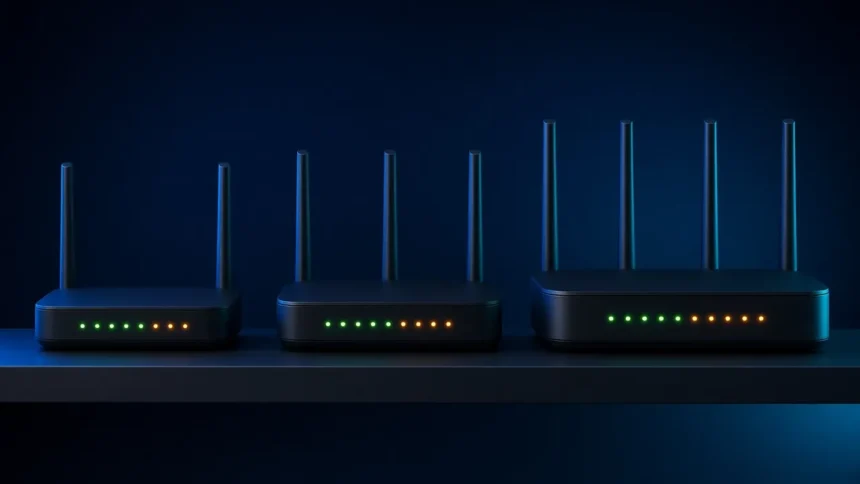
For most Indian homes on a 100-300 Mbps fibre plan, a good Wi-Fi 6 router is enough. Wi-Fi 6E and Wi-Fi 7 are faster on paper, but your internet plan and your devices cap what you get.
The WiFi 6 vs WiFi 7 upgrade pays off in two cases: a crowded apartment block where 5 GHz is jammed, or a gigabit-plus plan with Wi-Fi 7 phones and laptops to use it.
Key takeaway
- Wi-Fi 6: 2.4 and 5 GHz, handles many devices well, and comfortably carries a 100-300 Mbps plan. The default pick for most homes.
- Wi-Fi 6E: Wi-Fi 6 plus the 6 GHz band, which is less crowded but shorter-range through walls.
- Wi-Fi 7: adds 320 MHz channels, Multi-Link Operation and 4K-QAM. Worth it for 1 Gbps or faster plans and Wi-Fi 7 devices.
- India status: the lower 6 GHz band (5925-6425 MHz) was opened for licence-free indoor Wi-Fi by a DoT notification dated 20 January 2026.
- Before you buy: check your plan speed, your phone and laptop Wi-Fi version, and the router’s WAN port speed.
How the three Wi-Fi standards compare
| Feature | Wi-Fi 6 | Wi-Fi 6E | Wi-Fi 7 |
|---|---|---|---|
| Standard | 802.11ax | 802.11ax | 802.11be |
| Wi-Fi Alliance certification began | 2019 | 2021 | January 2024 |
| Bands | 2.4 and 5 GHz | 2.4, 5 and 6 GHz | 2.4, 5 and 6 GHz |
| Widest channel | 160 MHz | 160 MHz | 320 MHz (6 GHz only) |
| Top modulation | 1024-QAM | 1024-QAM | 4K-QAM (about 20% higher rates) |
| Multi-Link Operation | No | No | Yes |
| Who gains most | Most homes and plans up to about 500 Mbps | Crowded flats with 6E devices | Gigabit-plus plans and Wi-Fi 7 devices |
All three are backward compatible. A Wi-Fi 7 router still serves your old Wi-Fi 5 laptop and your 2.4 GHz smart bulb, but those devices connect at their own older speeds.
Wi-Fi 6 vs Wi-Fi 7: what each standard changes
Wi-Fi 6 was built for busy homes. OFDMA lets the router serve several devices in one transmission, and MU-MIMO talks to more of them at once. With 15-25 phones, TVs, cameras and plugs on one network, that matters more than top speed.
Wi-Fi 6E keeps everything in Wi-Fi 6 and adds the 6 GHz band. The new band has wide, clean channels with no older devices on them. The trade-off is range: 6 GHz signals lose strength through concrete walls faster than 5 GHz.
Wi-Fi 7 doubles the widest channel to 320 MHz and adds Multi-Link Operation (MLO), which lets a device use two bands at once for more speed and fewer drops. The Wi-Fi Alliance’s Wi-Fi 7 feature list puts the 4K-QAM gain at about 20% over Wi-Fi 6. You only get MLO and 320 MHz with a Wi-Fi 7 phone or laptop on the other end.
Is the 6 GHz band legal for Wi-Fi in India?
Yes, since January 2026. The Department of Telecommunications notified G.S.R. 47(E) on 20 January 2026, published in the Gazette the next day. It removes the licence requirement for low-power indoor and very-low-power outdoor Wi-Fi in 5925-6425 MHz, a 500 MHz slice of the 6 GHz band.
Indoor routers are capped at 30 dBm EIRP, channels can be up to 320 MHz wide, and use is on a shared, non-interference basis. Each router model still needs WPC equipment type approval before it is sold. The US opened 1,200 MHz, so India gets fewer wide channels: Cisco Meraki’s Wi-Fi 7 technical guide notes that a 500 MHz allocation fits one 320 MHz channel.
⚠️ Watch out for: “Wi-Fi 7” on a box does not always mean 6 GHz. Many budget Wi-Fi 7 routers are dual-band (2.4 and 5 GHz only), so they skip 320 MHz channels. Check the band list on the spec sheet, and check whether your phone has 6 GHz enabled for India.
Why your ISP plan caps the gain
Wi-Fi speed and internet speed are two different numbers. On a 200 Mbps plan, a decent Wi-Fi 6 router already delivers the full 200 Mbps to a phone in the same room. A Wi-Fi 7 router can move files between devices at home faster, but it cannot make the fibre line faster.
Check the WAN port too. Many routers have a 1 Gbps WAN port, which caps a multi-gig plan below its rated speed. For 1 Gbps plans, look for a 2.5G WAN port and Wi-Fi 6 with 160 MHz support at minimum. For 2 Gbps or faster, Wi-Fi 7 starts to make sense.
When a 6 GHz router is worth it
Best for: high-rise flats where your phone sees 20 or more neighbouring networks, gigabit or faster fibre plans, households with recent Wi-Fi 7 phones and laptops, and PC VR or large local file transfers.
Not ideal for: 100-300 Mbps plans, homes where most devices are a few years old, and buyers hoping a new router will fix signal in a far bedroom. 6 GHz reaches less far than 5 GHz.
Watch out for: paying Wi-Fi 7 prices for one fast device. If only your phone supports Wi-Fi 7, the rest of the house sees little change.
What fixes most home Wi-Fi problems instead
- Router placement: put it high and central, not inside a TV cabinet or behind the fibre box near the front door.
- A second access point or mesh: in a 2BHK or 3BHK with RCC walls, a mesh node fixes dead zones better than a newer standard.
- Ethernet for the desk: a cable to your PC or console beats any Wi-Fi version for ping. Our guide on how to reduce ping covers the rest.
- Keep 2.4 GHz on: most smart plugs for Alexa and Google and many cameras still connect only on 2.4 GHz.
💡 Expert tip: if a smart device refuses to pair with your new router, split the 2.4 GHz and 5 GHz network names for setup, pair it on 2.4 GHz, then merge them again.
What about smart home devices?
A new router barely changes smart home gear. Plugs, bulbs and most Wi-Fi security cameras use 2.4 GHz and low bandwidth. What helps them is a strong 2.4 GHz signal in every room and a router that handles many connections, which Wi-Fi 6 already does.
If your network is groaning under dozens of devices, Thread and Zigbee can take some of them off Wi-Fi. See Matter vs Thread vs Zigbee for how those work, or our budget smart home setup guide to start small.
Common mistakes
- Upgrading the router to fix a slow plan. Run a speed test on Ethernet first. If that is slow, call your ISP.
- Ignoring the WAN port. A 1 Gbps port caps any faster plan.
- Buying 6 GHz for range. 6 GHz is for speed and clean air close to the router, not for distant rooms.
- Assuming every device gets faster. Older phones, TVs and plugs stay at their own Wi-Fi version.
- Keeping the ISP router as a second network. Two routers in one flat often fight. Put the ISP box in bridge mode or switch off its Wi-Fi.
What to buy
Our best gaming routers guide covers Wi-Fi 6, Wi-Fi 6E mesh and Wi-Fi 7 options with Indian prices, and flags which models have 2.5G or 10G ports. For a 100-300 Mbps plan, a Wi-Fi 6 router from that list is plenty. Save the Wi-Fi 7 picks for gigabit-plus plans.
How we researched this
This explainer is research-based. We read the DoT Gazette notification, the Wi-Fi Alliance feature lists and Cisco Meraki’s Wi-Fi 7 design guide, and checked Indian launch news for 6 GHz products. We have not lab-tested routers for this guide. Last checked: November 2026.
Frequently asked questions
WiFi 6 vs WiFi 7: which should I buy in India?
Buy Wi-Fi 6 if your plan is under about 500 Mbps and most of your devices are a few years old. Choose Wi-Fi 7 if you have a 1 Gbps or faster plan, recent Wi-Fi 7 phones or laptops, and want the router to last several years.
Can I buy and use Wi-Fi 6E routers in India?
Yes. The DoT opened the lower 6 GHz band (5925-6425 MHz) for licence-free indoor Wi-Fi on 20 January 2026, so Wi-Fi 6E and Wi-Fi 7 routers can use it. Each model still needs WPC type approval, so check that the Indian version lists 6 GHz.
Will a Wi-Fi 7 router increase my internet speed?
Not beyond your plan. A Wi-Fi 7 router can carry more speed than a Wi-Fi 6 one, but if your plan is 200 Mbps, you still get 200 Mbps. It helps with range, crowded channels and transfers between devices at home, not the speed your ISP sells.
Is Wi-Fi 6 enough for a 1 Gbps plan?
Mostly, if the router has a 1 Gbps or faster WAN port and supports 160 MHz channels. A phone close to the router can get several hundred Mbps or more. To get near the full gigabit wirelessly, a Wi-Fi 6E or Wi-Fi 7 router and device help.
Do Wi-Fi 7 routers work with older devices?
Yes. Wi-Fi 7 routers are backward compatible with Wi-Fi 6, Wi-Fi 5 and older devices on 2.4 and 5 GHz. Those devices connect at their own maximum speed. Features like Multi-Link Operation and 320 MHz channels need a Wi-Fi 7 device too.
Does 6 GHz Wi-Fi go through walls?
Less well than 5 GHz or 2.4 GHz. Higher frequencies lose more strength through concrete and brick, and India caps indoor 6 GHz power. Expect 6 GHz to be fastest in the same room or one wall away, with 5 GHz taking over farther out.
Is Wi-Fi 7 better for online gaming?
It can lower lag on a crowded network, since Multi-Link Operation spreads traffic across bands. Ping to the game server depends more on your ISP route and distance. A wired Ethernet connection still gives the steadiest ping, whatever Wi-Fi version you use.
Should I buy a mesh system or a Wi-Fi 7 router?
If some rooms have weak or no signal, buy a mesh system first, even a Wi-Fi 6 one. A single Wi-Fi 7 router will not fix dead zones behind thick walls. Wi-Fi 7 mesh combines both but costs much more.
Our verdict
In the Wi-Fi 6 vs Wi-Fi 7 decision, most Indian homes on 100-300 Mbps plans should buy a good Wi-Fi 6 router and spend any extra on placement or a mesh node. Wi-Fi 6E helps in packed apartment blocks if your devices support 6 GHz.
Pick Wi-Fi 7 if you have, or will soon have, a gigabit-plus plan and recent devices, and make sure it lists 6 GHz and a 2.5G WAN port. Before you pay, run a wired speed test: if the plan is the bottleneck, no router will fix it.